BGP Collection
Introduction
Forward Enterprise can collect advertised and received BGP advertisements from common platforms like Cisco (IOS, IOS-XE, IOS-XR, NX-OS), Juniper (Junos) and Arista (EOS). Please visit the Feature Matrix page for an updated list of supported platforms.
This data does not affect the forwarding model but can be useful in some NQE or predefined checks, as well as with Synthetic Devices.
By default the BGP advertisements are collected via device CLI. The Forward Collector supports the collection via BGP Monitoring Protocol (BMP) as well. For more info, please visit the Collecting With BMP page.
Enable and Configure BGP Collection
BGP collection is not enabled and configured network wide. It must be enabled and configured for each device.
Enable BGP Collection
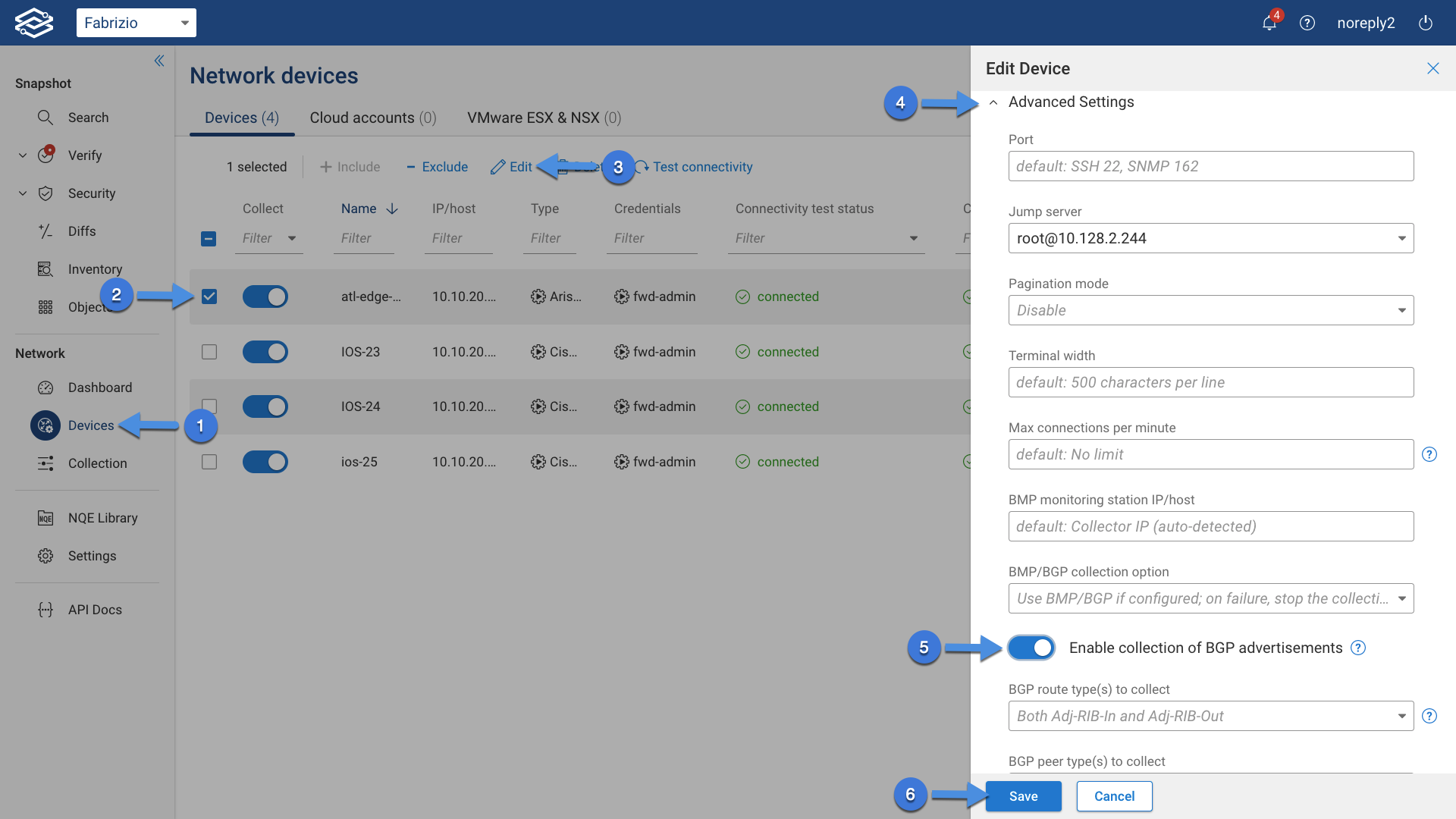
To enable BGP collection, navigate to Sources --> Devices, select one or more devices and click either on the edit icon on the right for a single device, or the Edit icon at the top for multiple devices, expand the Advanced Settings section, select the Enable collection of BGP advertisements toggle button and click Save.
Configure BGP Collection
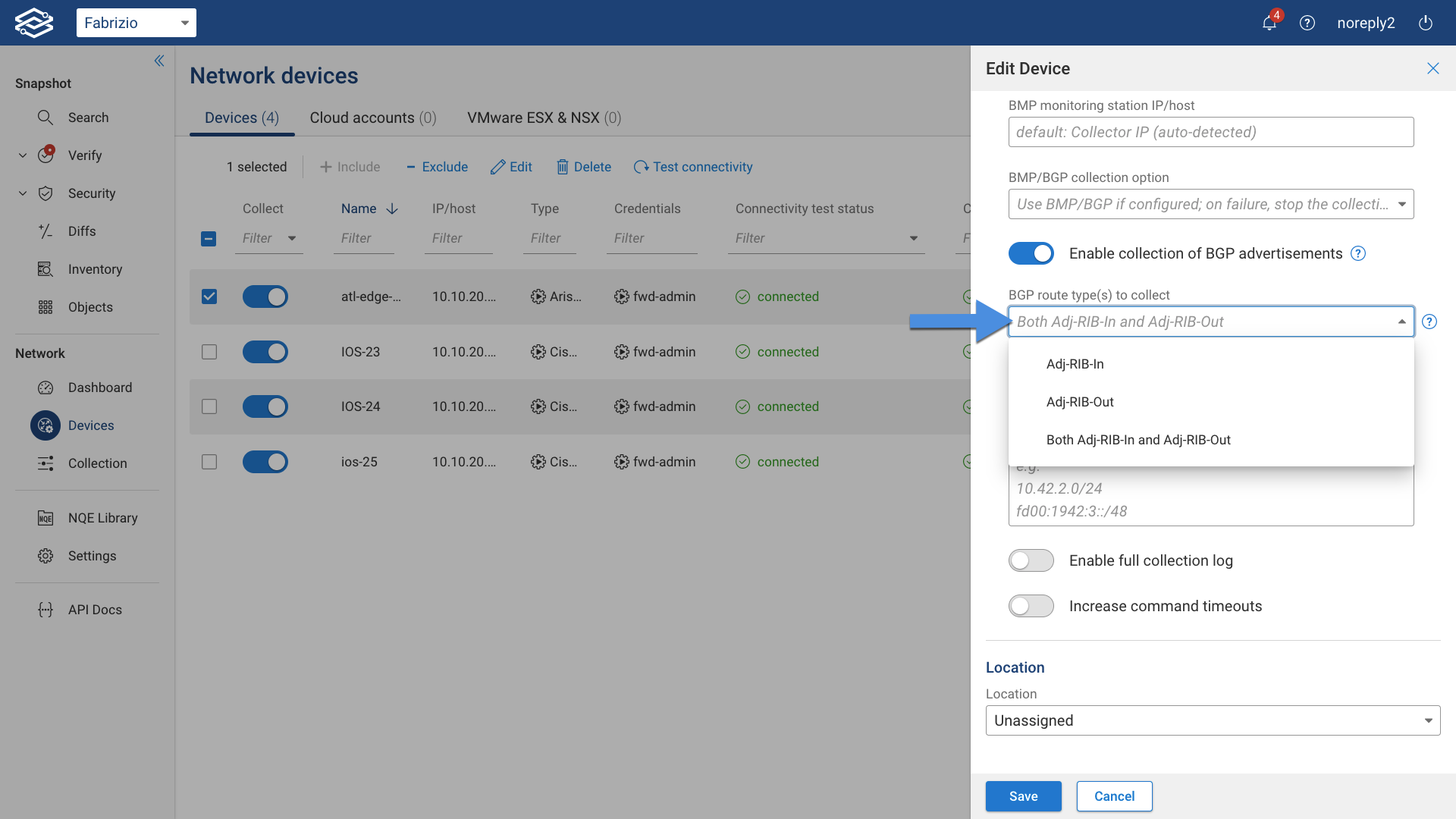
After having enabled BGP collection, configure it by selecting one of the following options from the BGP route type(s) to collect drop down menu:
- Adj-RIB-In (routes received from peers, prior to any attribute modifications or route filtering)
- Adj-RIB-Out (selected routes advertisements to peers)
- Both Adj-RIB-In and Adj-RIB-Out
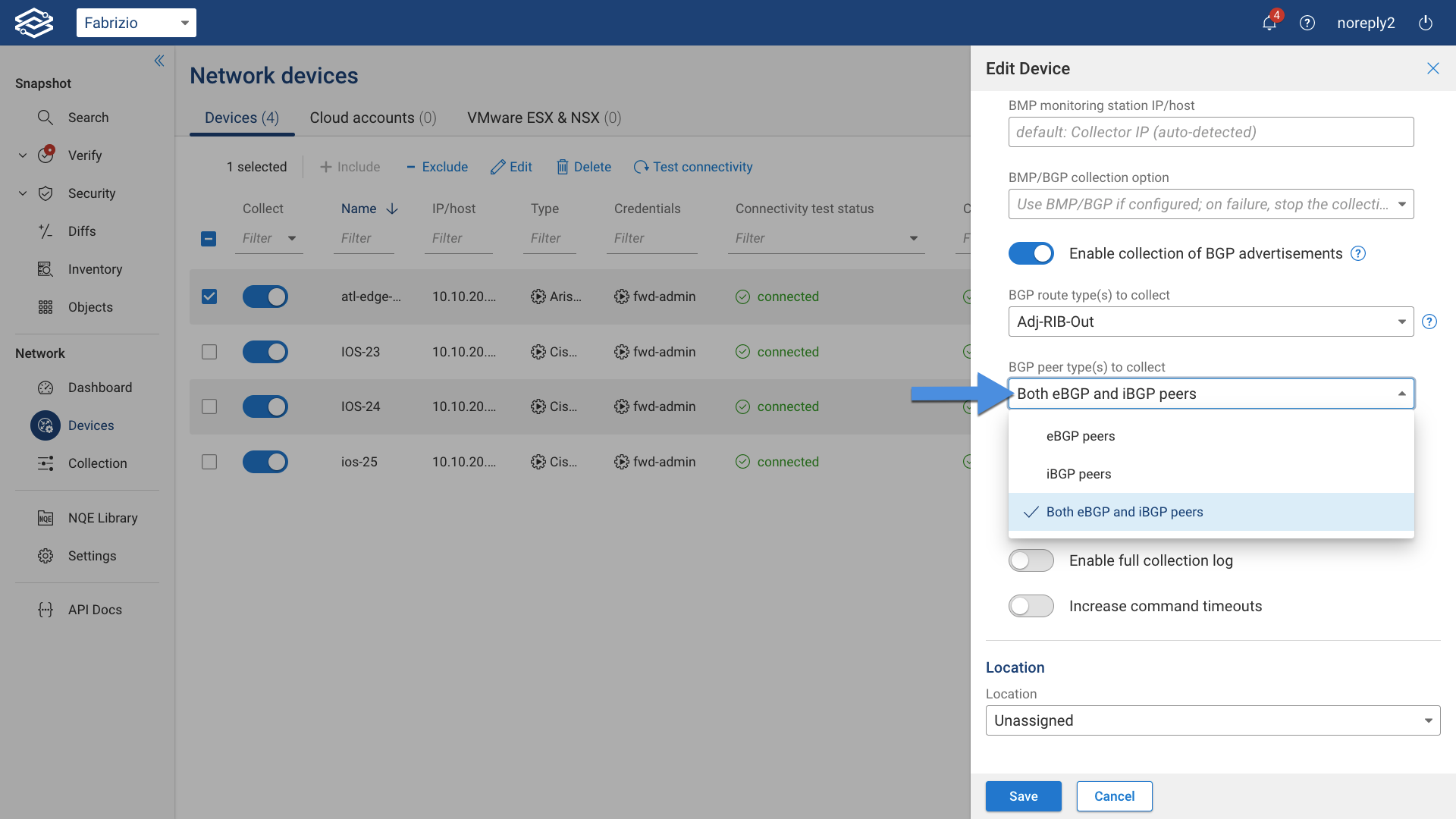
and select one of the following option from the BGP peer type(s) to collect drop down menu if used as protocols:
- eBGP peers
- iBGP peers
- Both eBGP and iBGP peers
Optionally, the collection of BGP advertised routes can be limited to a set of specified subnets. Currently the collection limit is only supported for Junos devices. The list of subnets can be specified in the Limit BGP collection to these Junos subnets section.
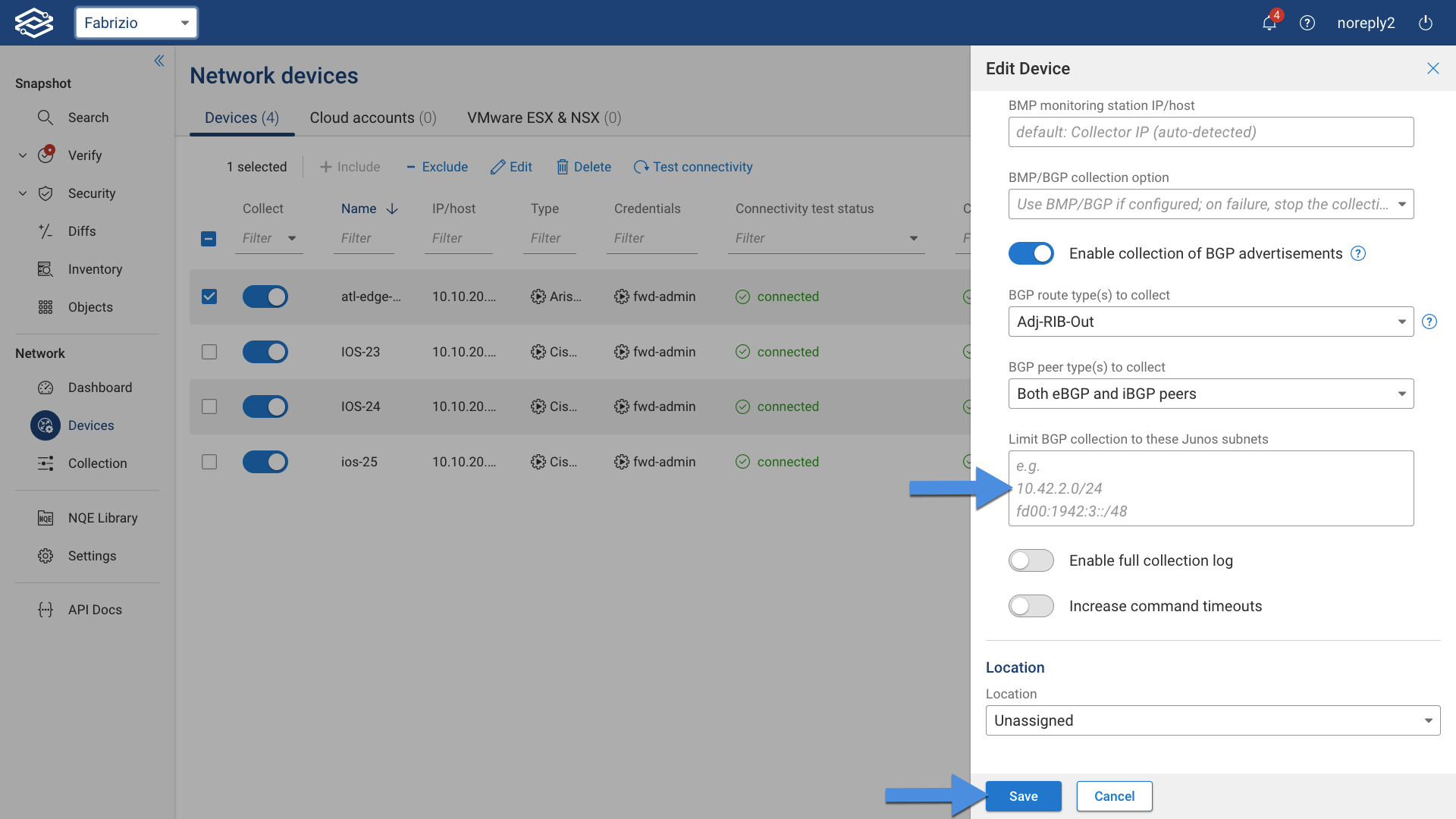
Finally, click on Save.