Firewall Predict
Firewall Predict proposes a change to a Palo Alto (PAN-OS) security policy and models its effect before deployment:

- Add, delete, edit, or reorder a rule in a graphical editor.
- Forward Predict computes the resulting rulebase, re-parses the firewall, and reflects the change in the predicted model and in end-to-end reachability.
- Run reachability and isolation checks on the base and predicted snapshots, then compare them to confirm the intended flow gets through and existing isolation holds.
Scope
Firewall Predict is limited to a device's local security rules. It does not support:
- Panorama rule changes. Panorama pre- and post-rulebases are read-only. Their rows are shown for context. A read-only row's tooltip reads "Editing this rule scope is not currently supported."; the rule drawer's rulebase dropdown marks the same scopes with "This rulebase is read-only."
- Creating or editing objects. The firewall's named objects (addresses, services, applications, and so on) are read-only in the editor. Reference an object that already exists in the base snapshot when building a rule; the workflow cannot create or change one. To use an object that does not exist yet, create it on the firewall first, collect the device so the base snapshot includes the object, then reference it in the change set.
For a firewall change on any other platform, use a config-based change on the device (see Prediction Scope).
Opening the Editor
Add a PAN-OS device to the change set and select Modify firewall rules. The editable rulebase is labeled Local, described in the editor as "The local rulebase that contains fully custom rules." This is the only editable rulebase; the editor shows the Panorama scopes alongside it as read-only.
If a firewall's configuration cannot be parsed, the editor does not block or error. It opens with an empty rulebase that still accepts new rules.
Editing Rules
The editor works on the Local rulebase:

- Add a rule. Source and destination both default to Any. An empty source or destination is rejected on save, so set at least one match value on each before saving.
- Edit a rule. Change the match conditions or the action on an existing rule.
- Delete a rule. Mark an existing rule for deletion.
- Reorder rules. Move a rule up or down. Move-to-top is available except when the rule is already at the top, where it is hidden.
In the rule drawer, zones are set through the zone selector. The application picker omits the value any; leave the
application unset to match any application.
Lifecycle Badges

A pending change carries a lowercase lifecycle badge that shows what the change set does to the rulebase:
| Badge | Meaning |
|---|---|
added | A new rule created in the change set. |
deleted | An existing rule marked for removal. |
modified | An existing rule with changed match conditions or action. |
Negated Matches
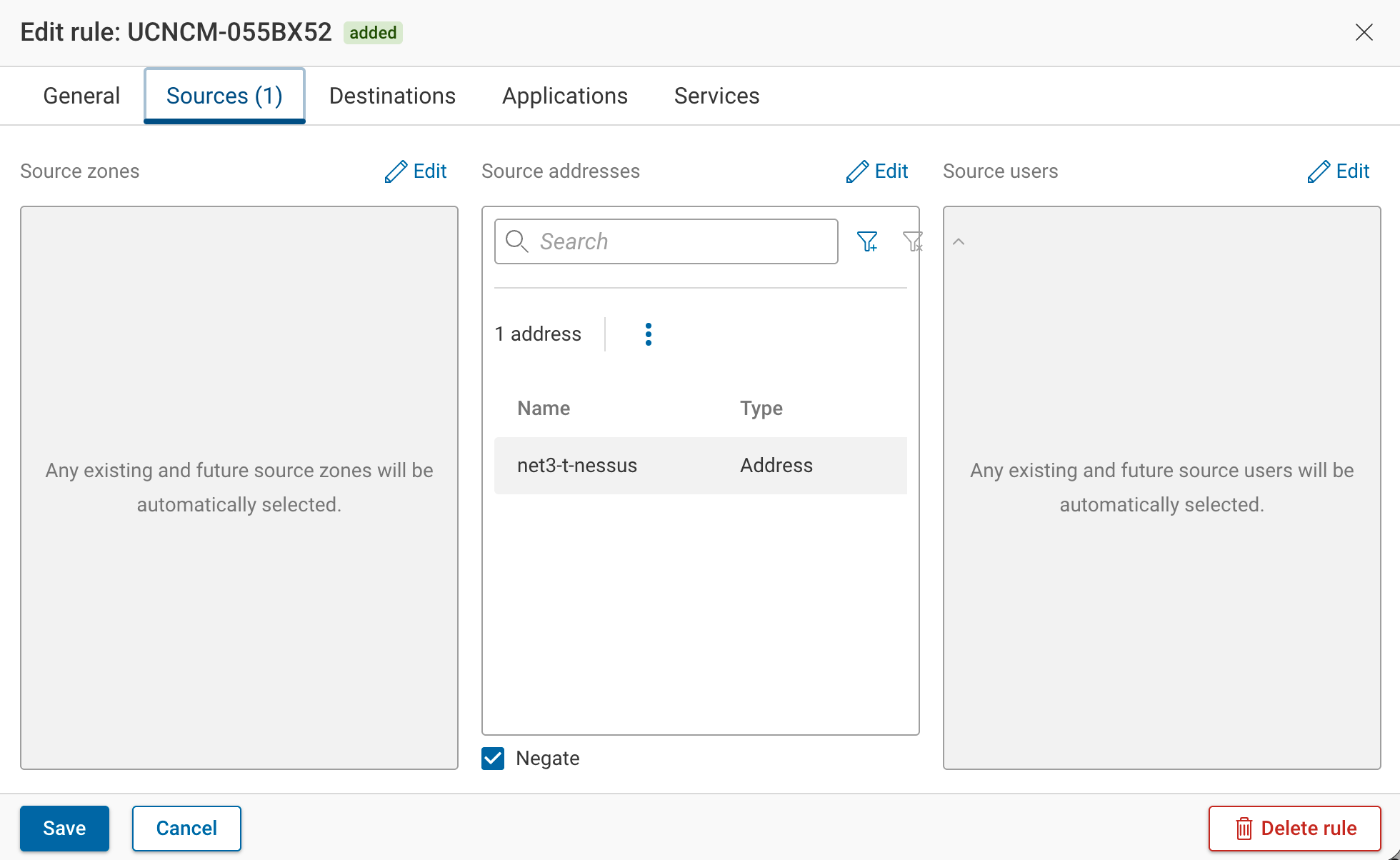
A negated source or destination address matches everything except its listed values. In the rules table, a negated address shows a minus-in-a-circle icon beside the value in its Source addresses or Destination addresses cell; its tooltip reads "Negated: the rule matches everything except the listed values." Only address matches can be negated.
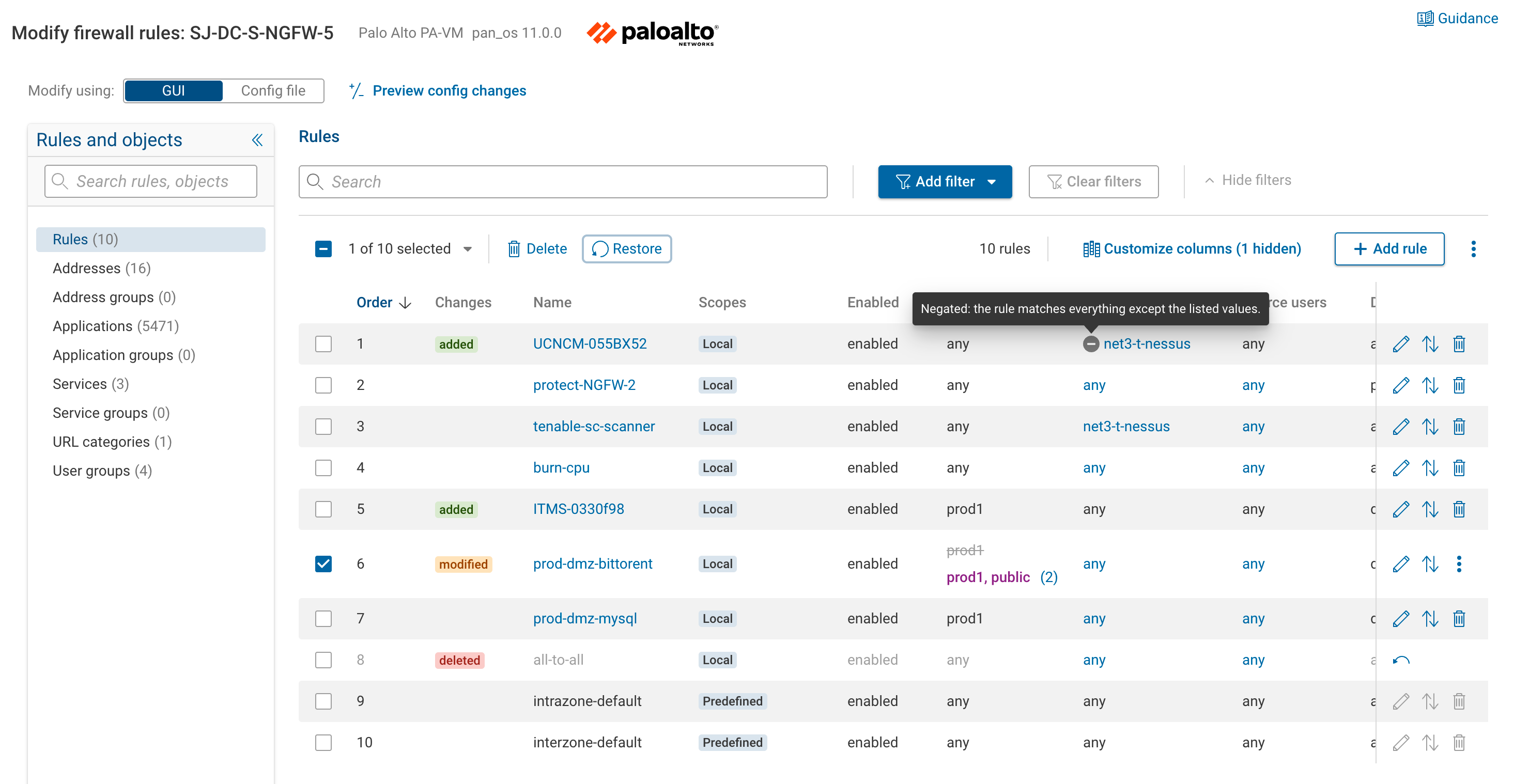
Set negation with the Negate checkbox in the rule drawer's address selector.
Backing Out a Change
Each rule has action icons in its own row; selecting one or more rows adds Delete and Restore buttons to the toolbar above the table.
- The row's Restore icon reverts a
modifiedordeletedrule to its baseline. It does not appear on anaddedrule, which has no baseline to return to. - To drop an
addedrule, use its row Delete icon (this cannot be undone), or select the rule and click the toolbar Restore button, which undoes the pending changes on every selected rule, added rules included.
Objects a Rule Can Reference
The rules and objects in the editor come from the selected device's collected configuration in the base snapshot. The
object tables also include Palo Alto's predefined objects: the App-ID application database, plus built-ins like any,
service-http, service-https, and known-user. These come from the Palo Alto content set, which is why the
Applications table lists thousands of entries even when the device defines only a few custom rules. Predefined rules,
such as intrazone-default and interzone-default, carry the Predefined scope in the rules table.
The rule editor lists the firewall's named objects. A rule can reference any of them. Each object type has its own read-only table:
| Table | Contents |
|---|---|
| Addresses | Address objects. |
| Address groups | Groups of address objects. |
| Applications | Application objects. |
| Application groups | Groups of application objects. |
| Services | Service objects (protocol and port). |
| Service groups | Groups of service objects. |
| URL categories | URL category objects. |
| User groups | User group objects. |
Zones are not a reference table. They appear only in the rule drawer's zone selector.
Next
- Reviewing Results: reading the config diff and intent checks.