Reviewing Results
A committed prediction produces a predicted snapshot and a set of outputs that compare it against the base. This page covers what each output shows and how to validate a prediction end to end. The Run predict analysis step of the wizard shows these outputs.
Config Diff
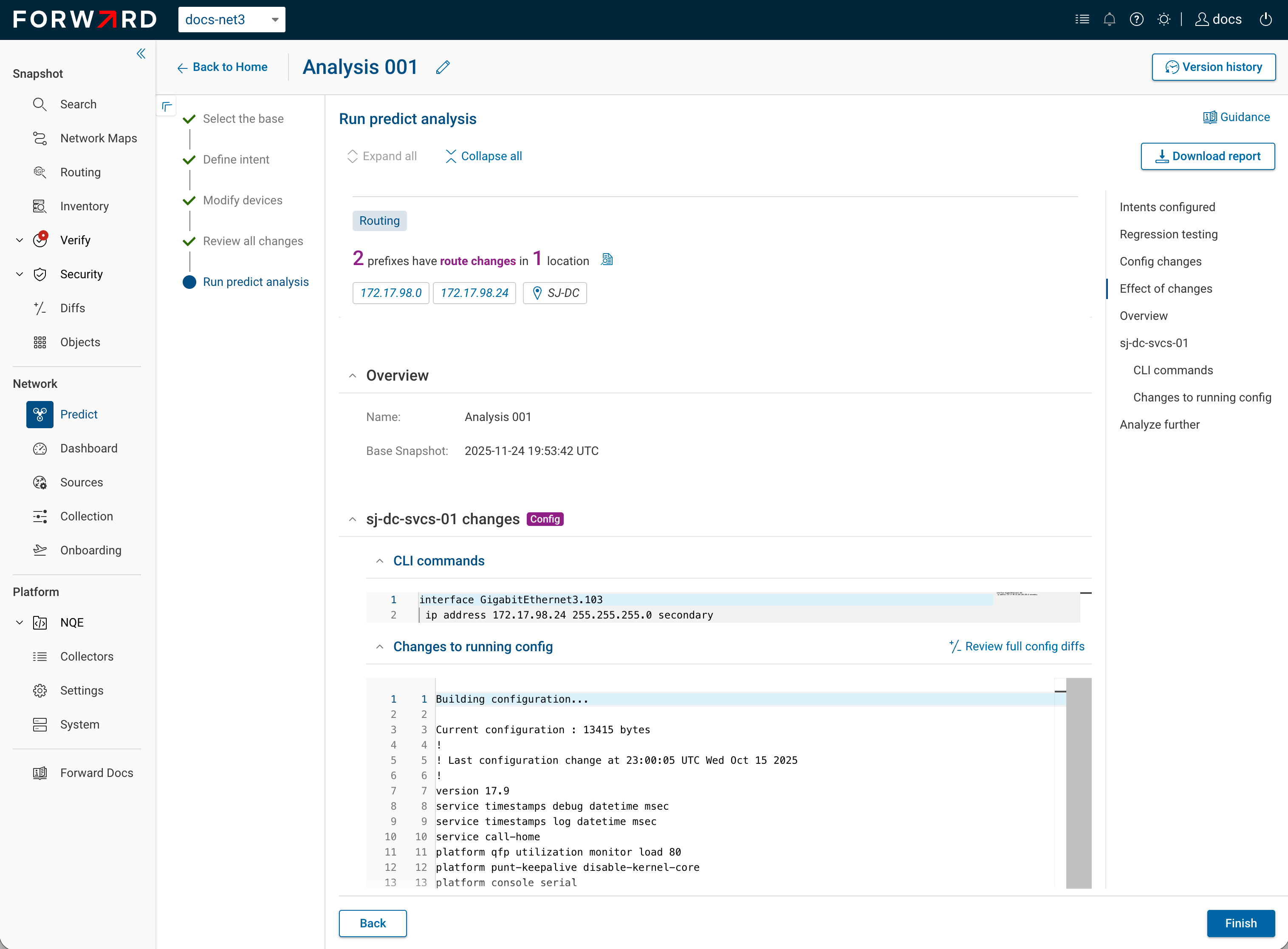
Forward Predict shows a side-by-side diff of the baseline running config against the predicted running config for each changed device. The diff shows whether the change produced the intended config, before any of its downstream effects. See How Predict Works → Config Change.
BGP Route Trace
Trace any prefix's propagation from origin to target across the predicted network, with the policy applied at each hop and the resulting attributes. Use it to check whether a routing change propagated as intended. See Prefix Search & Trace.
Intent Checks
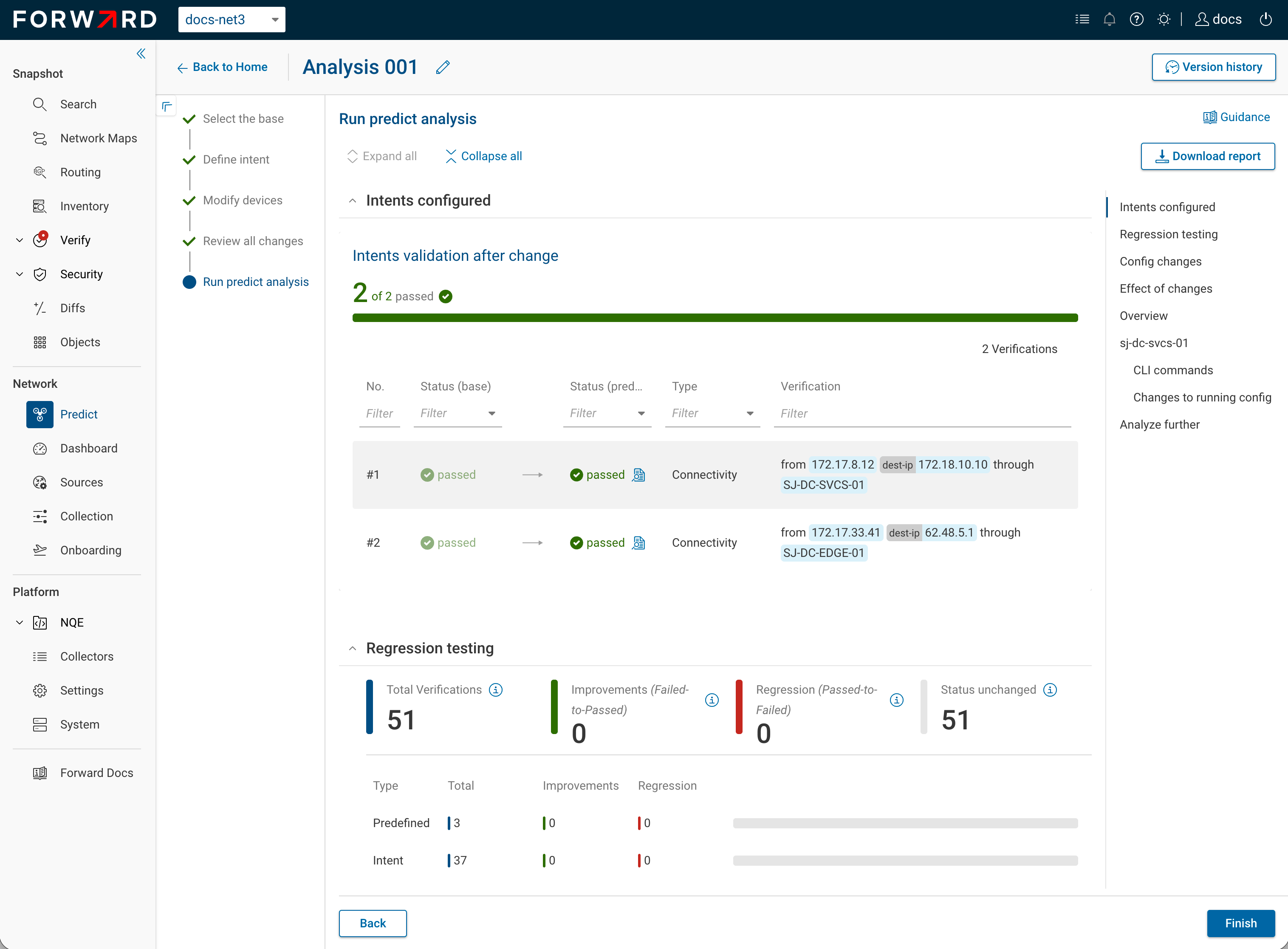
Validate a predicted snapshot with the same tools as a collected one:
| Tool | Use |
|---|---|
| Path Analysis | Run the reachability or isolation query the change targeted. |
| Verify | Re-run existence and isolation checks. |
| NQE | Run any query against the predicted snapshot. |
Running the same checks on both snapshots shows two things: whether the change meets its intent (a check that failed on the base passes on the predicted), and whether it regresses covered behavior (a check that passed on the base still passes on the predicted). The second signal is only as strong as the coverage: when many existence and isolation checks are defined and all stay passing with none flipping to fail, no covered behavior regressed. A single passing check does not by itself rule out a side effect, since it covers only what it tests.
Exporting the Report
The Export report menu produces two artifacts:
- Download report *.pdf: a printable report through your browser's print dialog. Share it or attach it to a change record.
- Download config changes *.zip: the per-device config-change artifacts as a ZIP.
Next
- Troubleshooting: symptom-keyed fixes when a result looks wrong.
- Reference: outputs and best-path order at a glance.