First Steps
This page walks through one complete Path Analysis session: opening Path Analysis, running a query, reading the result, and narrowing the query. For the concepts behind what each step does, read Overview alongside this page.
Open Path Analysis
- Open Search from the sidebar.
- Check which snapshot is selected. The latest successfully processed snapshot is selected by default; pick a different one only if you want to analyze an earlier point in time.
- Click inside the search bar.
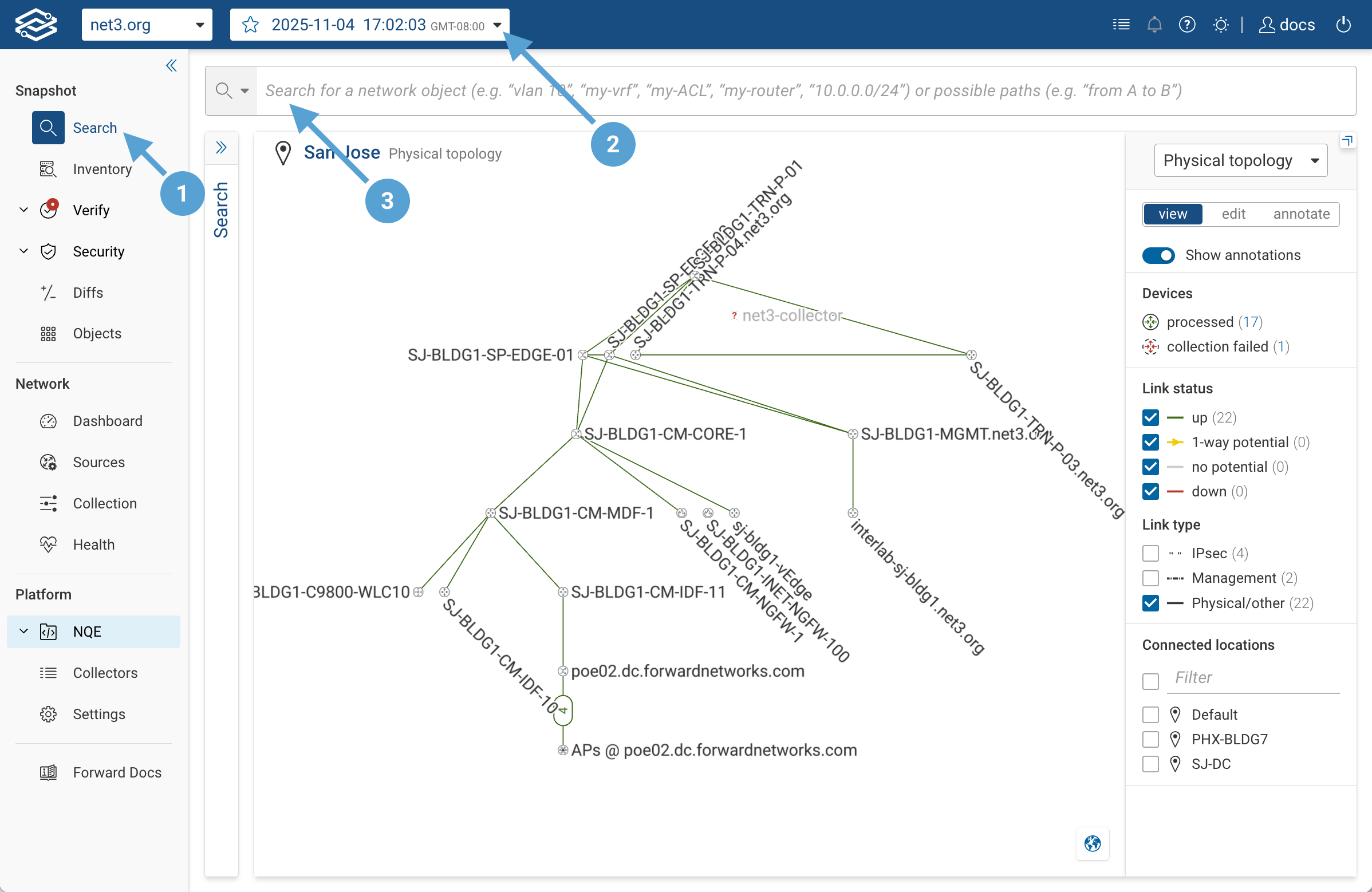
Clicking the empty search bar opens a suggestion menu whose top section, Common path searches, lists templates for recurring patterns: classic 5-tuple, NAT'd destination, specific L3 gateway, traffic through a device, traffic that bypasses a device, and load-balanced VIP. Selecting one fills the search bar with the template's clauses and hint text; replace the hints with values from your network.
Run a Query
Two common ways to start are shown below. Build one in the search bar — type a value and pick the field from the suggestions — then press Enter. The examples here show the resulting query.
from() and to() — anchor both ends
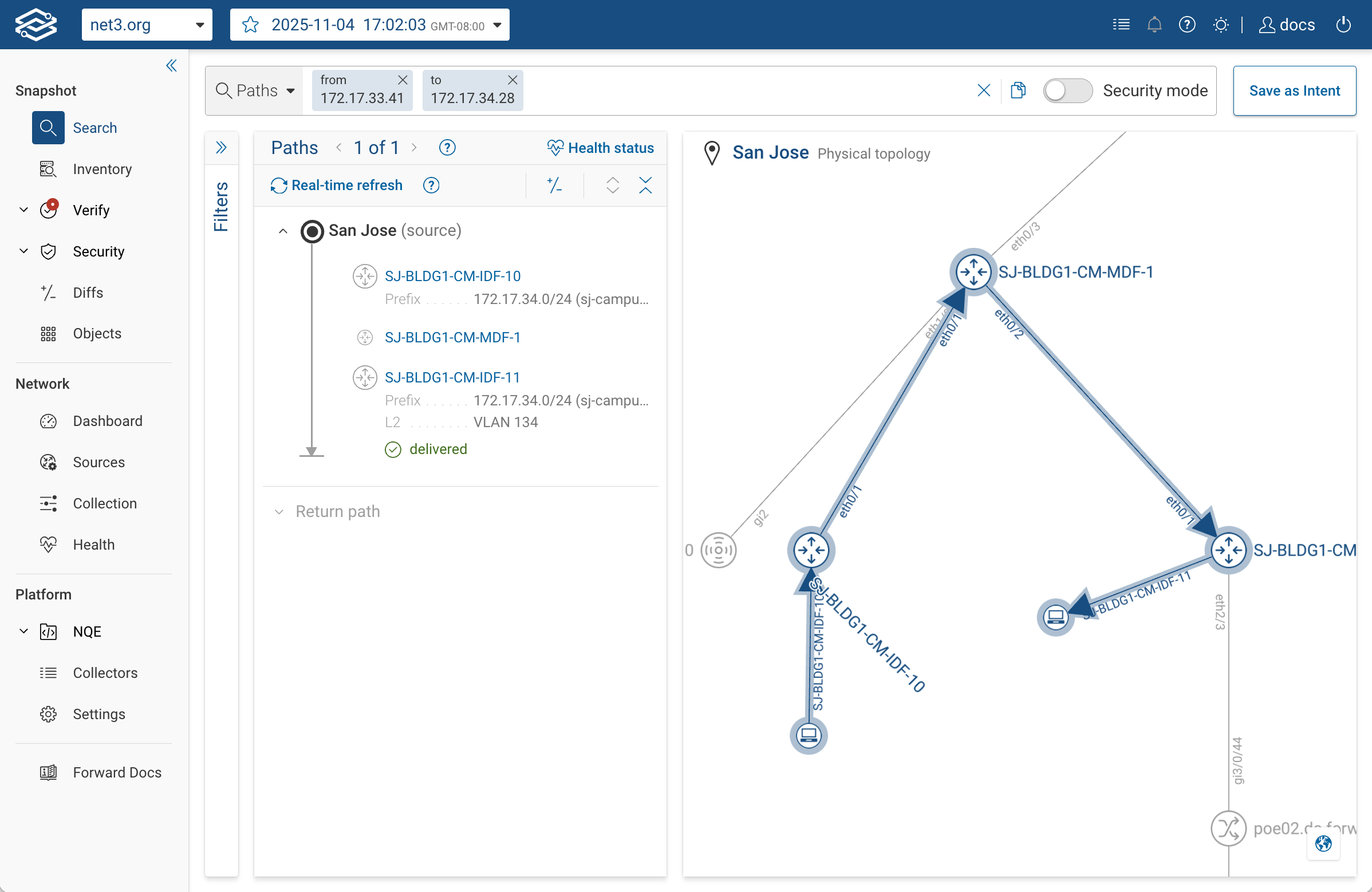
from(172.17.33.41) to(172.17.34.28)
Forward resolves each argument to a location in the modeled network (a device, interface, or host where that IP terminates), and returns the paths that connect those two locations.
Using hostnames instead of IPs
If your organization has DNS zone transfer integration configured, Forward resolves hostnames in your query against DNS
data from your servers. Type from(web01.corp.example.com) instead of an IP.
Without DNS integration, a hostname has to match something already in the snapshot — a device name, or a name carried on a collected object (for example a VM name collected from vCenter).
For setup details, see DNS Zone Transfer.
from() with a destination-IP filter — anchor source, constrain destination
from(172.17.23.32) ipv4_dst(172.17.20.15)
This anchors the source at host 172.17.23.32 and pins the packet's destination IP field to 172.17.20.15, but it does
not tell Forward where the path should terminate. Forward starts at the source with the destination IP set, then
follows the forwarding wherever it leads.
Use this pattern when you want to set the destination IP on the packet without constraining the path to terminate at
that IP's modeled location. Use to() when you want the path to terminate there. See
Overview → to() vs. destination header filters
for the distinction.
Reading Results
Once the query runs, the result appears in two panels:
- Paths (left): the path groups, each listing the devices the traffic transits and its outcome.
- Topology (right): the modeled network, with covered devices and links highlighted.
Click a hop to open a third Hop details panel between them. It shows the sample packet, the network functions evaluated at that hop, and See device state links that jump to the exact config or state line behind each forwarding decision.
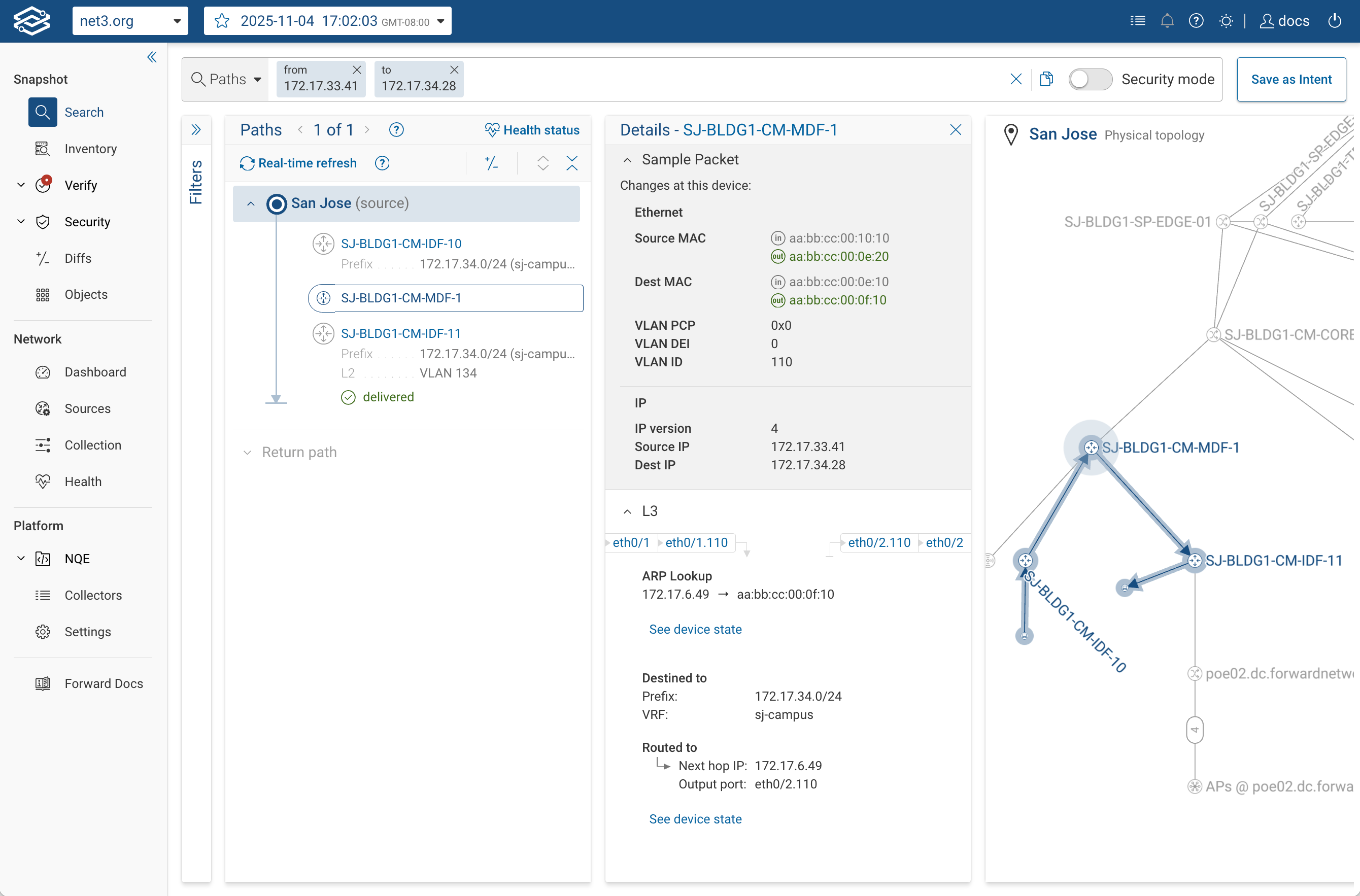
See Understanding Results for how to read path groups, the covered topology, hop-level detail, and outcomes.
Narrow the Query
Once a basic query runs, constraints let you describe more specific intent.
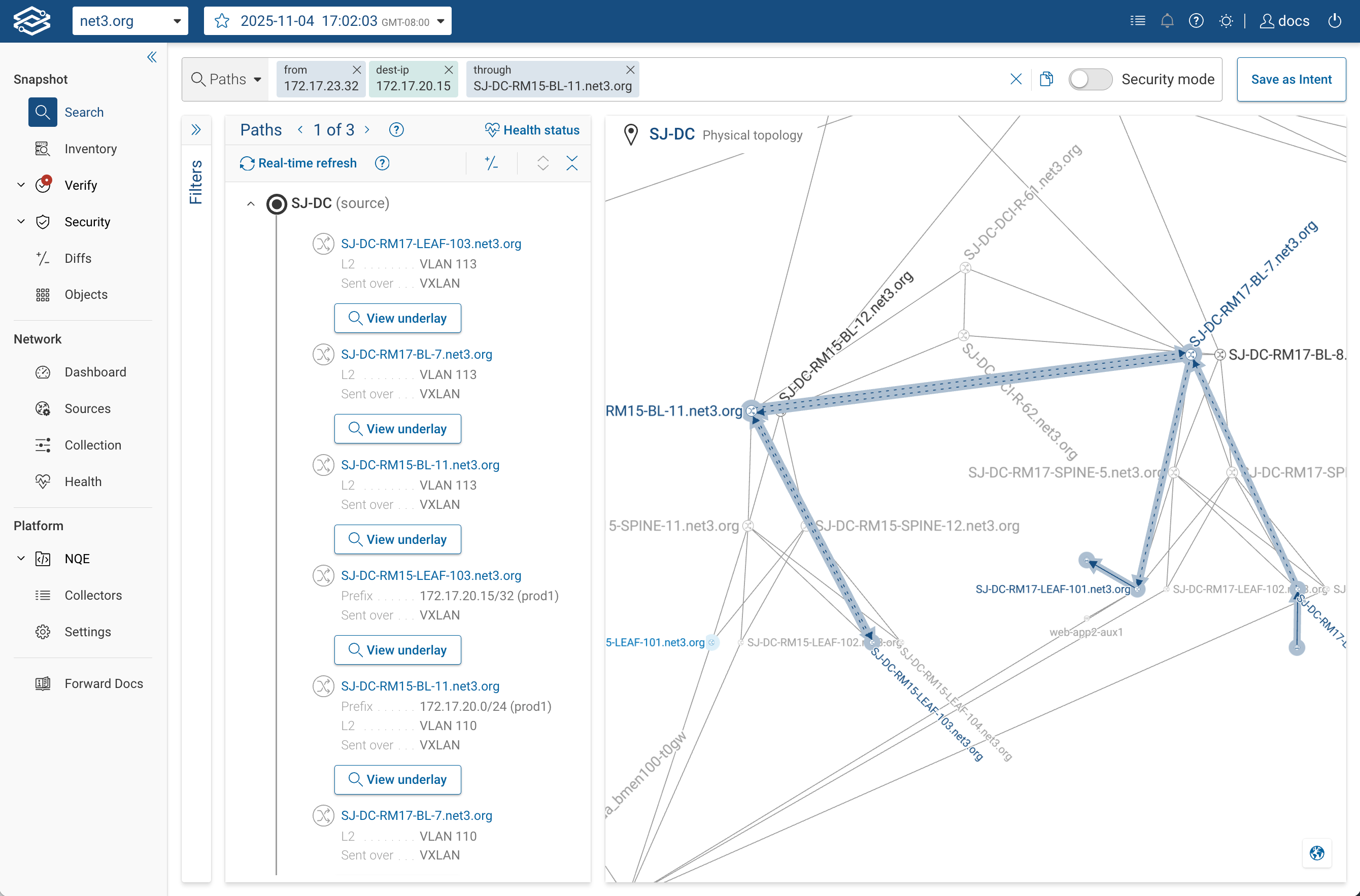
through() requires the path to transit a specific device or interface. Use it to confirm that traffic reaches an
enforcement point such as a firewall or inspection device.
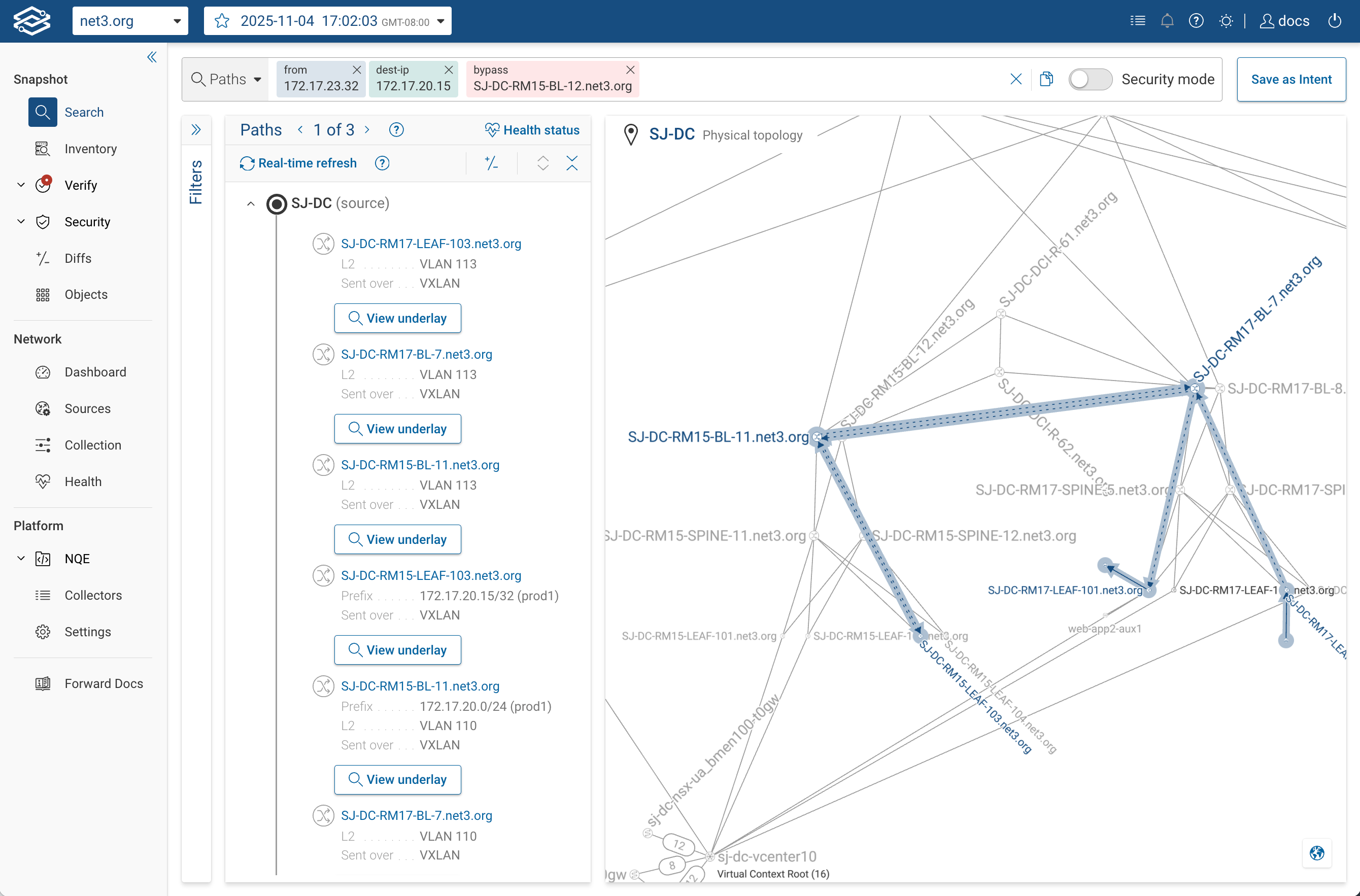
from(172.17.23.32) ipv4_dst(172.17.20.15) through(SJ-DC-RM15-BL-11.net3.org)
bypass() requires the path to avoid a specific device or interface. Use it to check segmentation by asking whether
traffic can route around a device it is supposed to traverse.
from(172.17.23.32) ipv4_dst(172.17.20.15) bypass(SJ-DC-RM15-BL-12.net3.org)
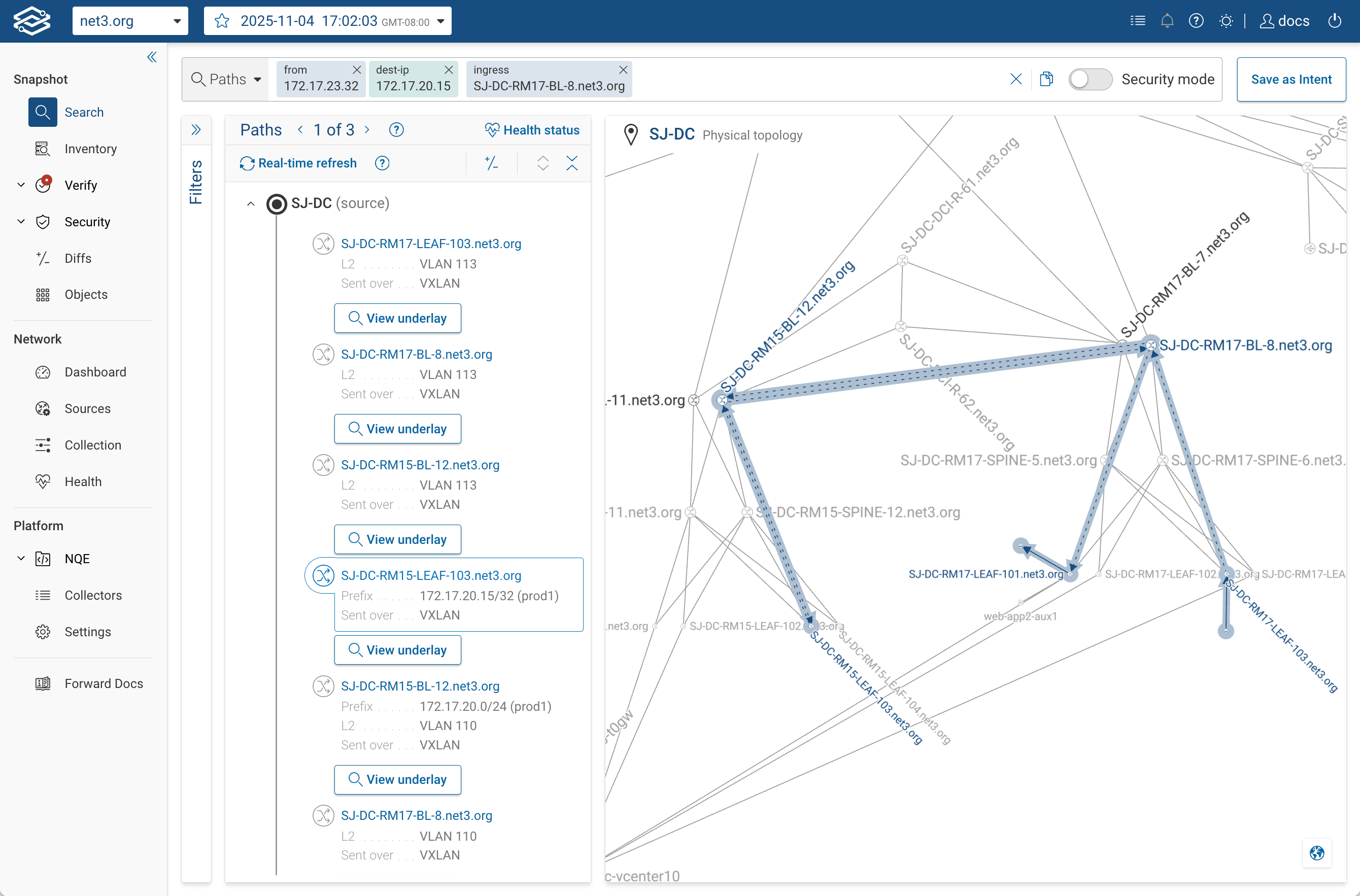
ingress() and egress() require the path to enter or exit through a specific device or interface. Use them to
pin one device in a redundant pair (such as two HSRP/VRRP peers or two upstream firewalls), or to confirm which uplink
the traffic uses.
from(172.17.23.32) ipv4_dst(172.17.20.15) ingress(SJ-DC-RM17-BL-8.net3.org)
A single query can include multiple constraints, and the same constraint can appear more than once (for example, two
through() clauses to require two transit points). See
Running Path Analysis for the full set of constraints and
when to use each.
Security Mode
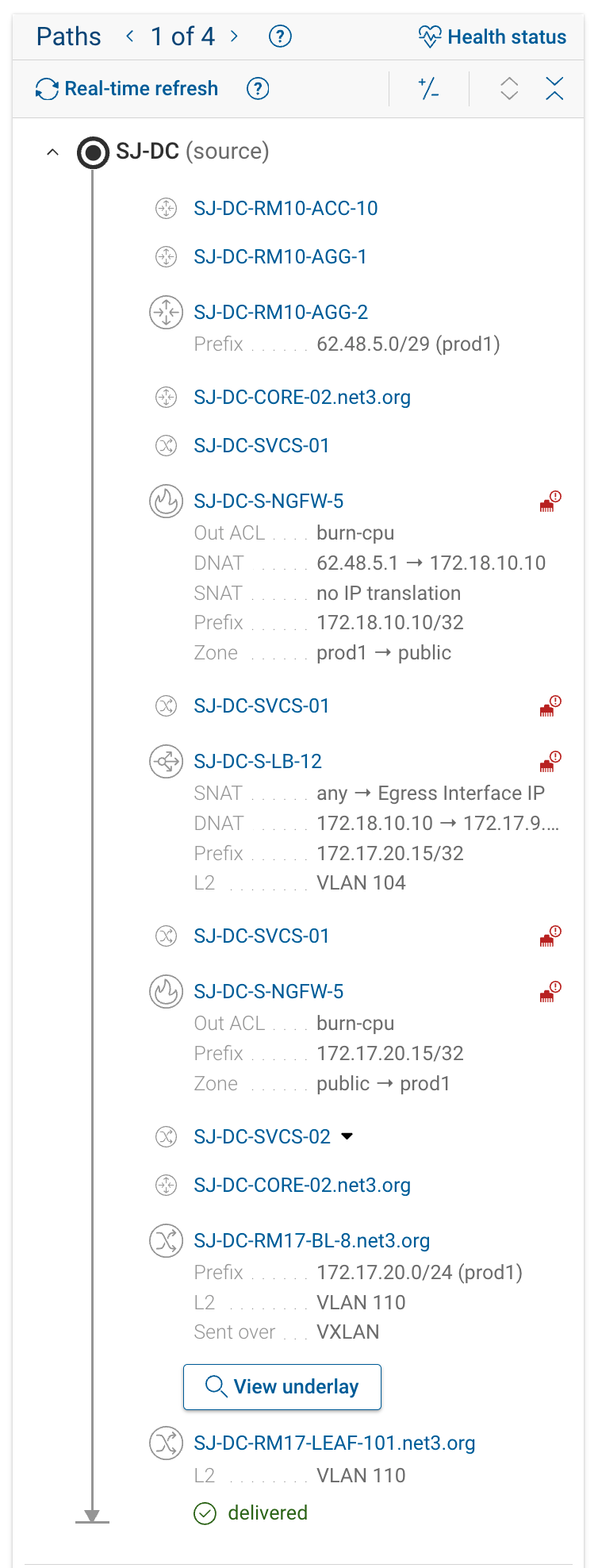
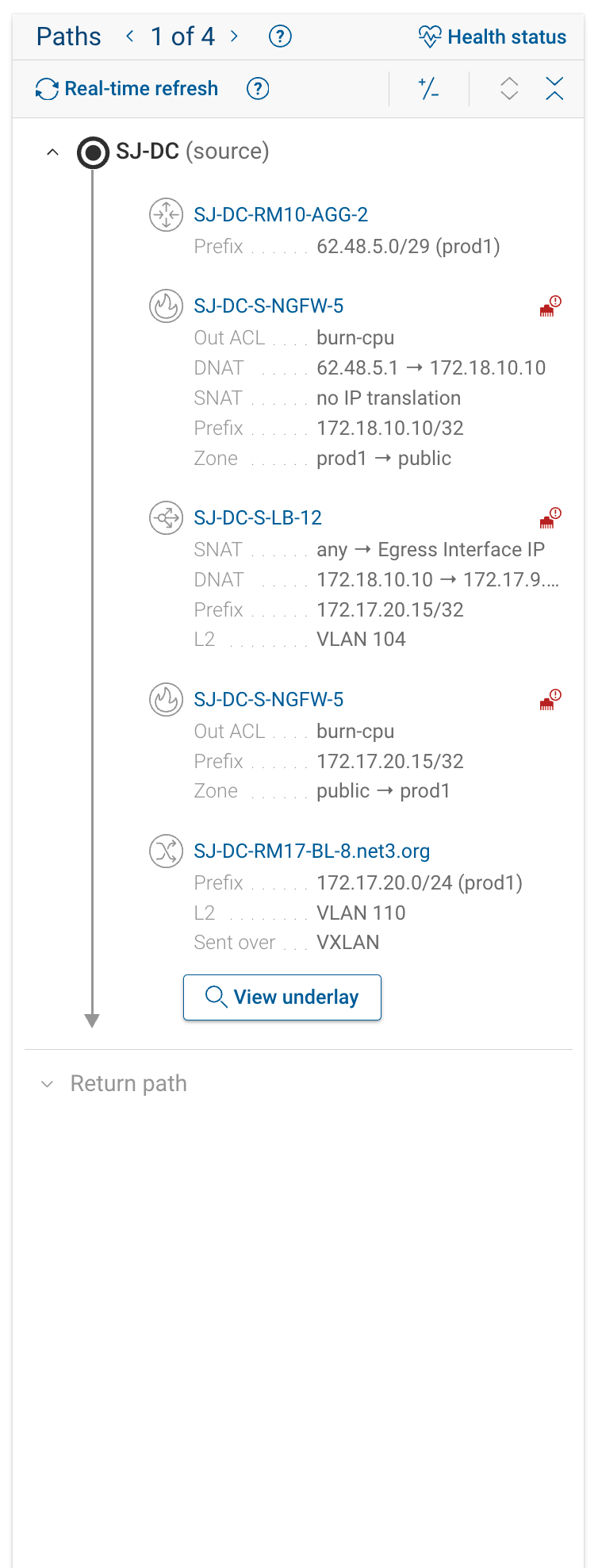
Security mode is a display filter. The same set of paths is computed and the same outcome (delivered, dropped, and so on) is reported, but the hop list and topology hide pure forwarding devices and show only the hops that matter for security: the ingress and egress L3 hops, and any hop that enforces an ACL or firewall rule or performs NAT. Use it to confirm a flow crosses the expected firewall, or to locate the device where policy stops it.
The first and last hops stay visible even when they apply no ACL, firewall rule, or NAT — they mark where traffic enters and leaves the modeled network, which is the frame of reference for the security analysis.

| Security mode off | Security mode on |
|---|---|
 |  |
Forward and Return Paths

The forward path (source to destination) is shown by default. Below it, a collapsible panel holds the return path (destination back to source), populated for a delivered forward path. Forward does not compute a diff or flag asymmetry between the two. To investigate asymmetric routing or missing reverse ACLs, expand the return path and compare it against the forward path.
If Results Look Wrong
| Symptom | First thing to check |
|---|---|
| No results | Both endpoints exist in the snapshot; try dropping constraints one at a time. |
| Path shows as dropped | Click the hop — the details panel names the ACL/firewall rule. Re-run the query in permit-all mode to see whether connectivity exists underneath. |
| Truncated or partial results | The search hit the result cap or timeout. Narrow the query: add to(), through(), or header filters, use a narrower source subnet, or anchor from() on a single device instead of a device group, so fewer candidate paths are considered. |
| Parsing warnings or missing-device banners | The model has a gap at those points. See Troubleshooting & FAQ. |
See Troubleshooting & FAQ for additional diagnosis steps.
Where to Go Next
- Overview: concepts — modeled network, anchors, path groups, scope
- Running Path Analysis: query building in depth, filters, common intents
- Understanding Results: reading hops, outcomes, sample packets, path diffs
- Reference: tokens, outcomes, drop reasons, network functions