Background Snapshots Reprocessing
Network Snapshots in Forward Enterprise can become invalidated when the platform is updated, when certain changes such as adding or updating a Synthetic Device are made, or when a Snapshot has not been accessed for an extended period (see Automatic Snapshot Invalidation). Invalidated Snapshots must be reprocessed before they can be used again.
The Snapshot selector indicates whether a Snapshot is processed or invalidated, and reprocessing can be triggered manually by clicking on the Snapshot.
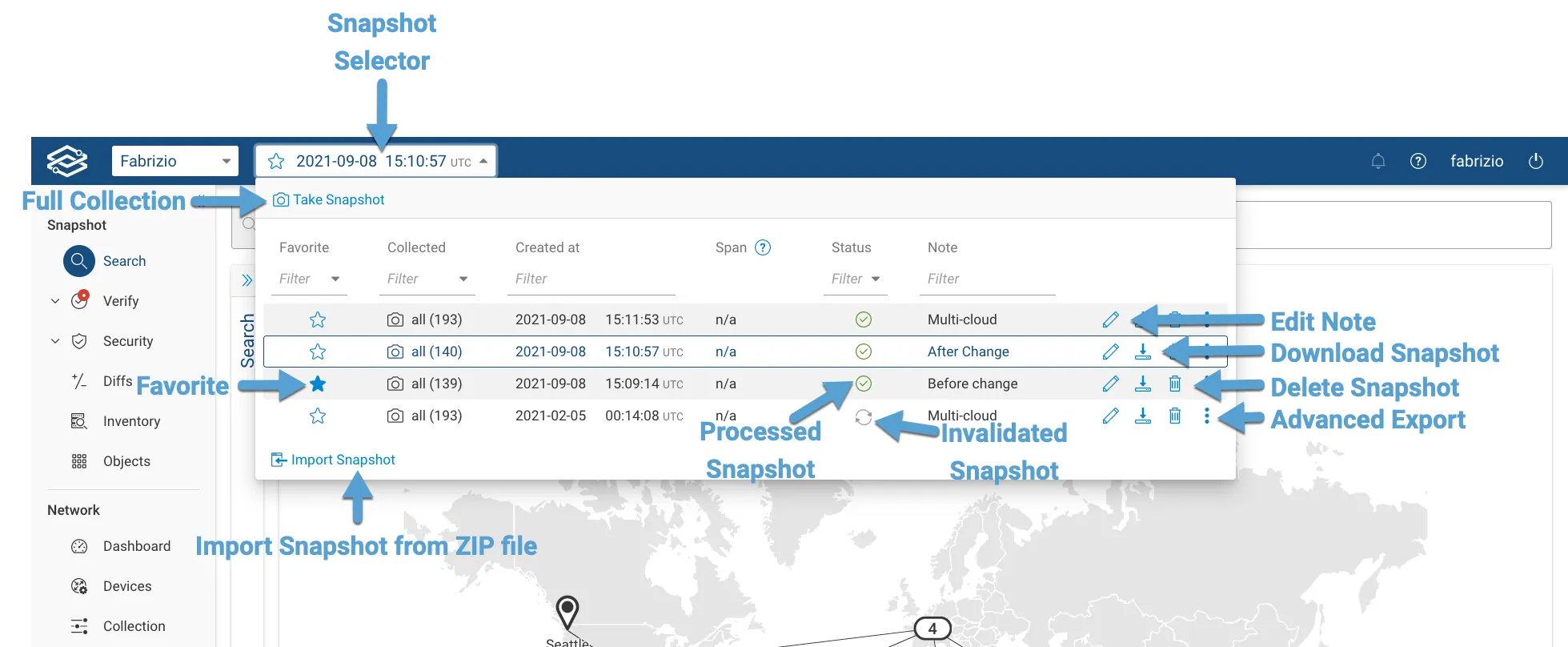
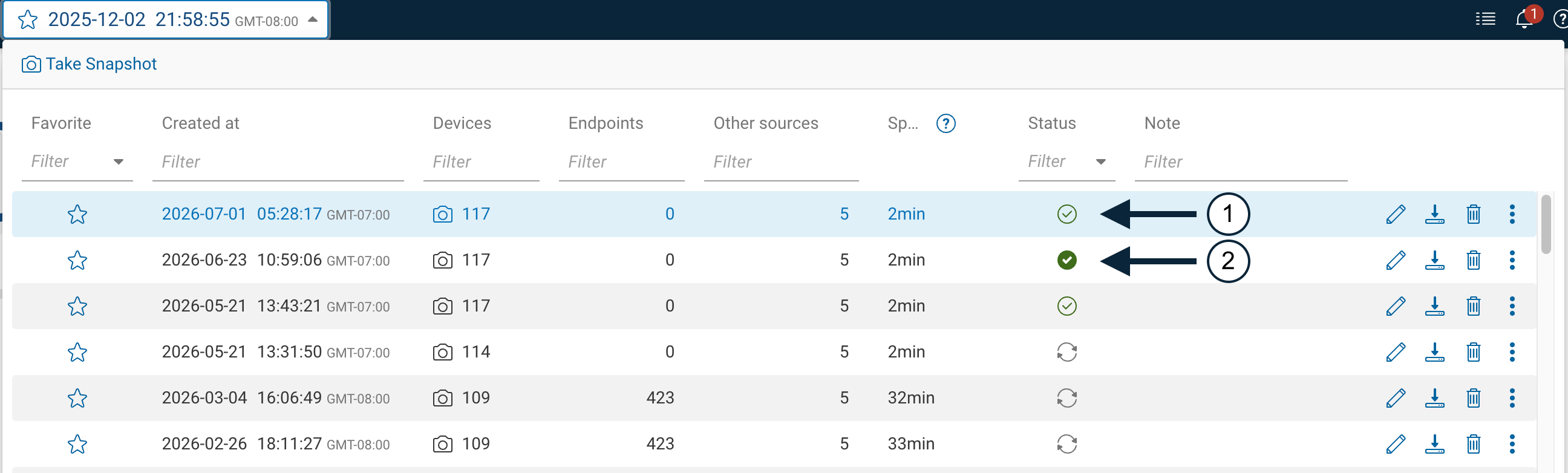
The selector also indicates whether a processed Snapshot has advanced reachability analysis computed:
- A processed Snapshot without advanced reachability shows an unfilled check icon; hovering it reads processed.
- A Snapshot with advanced reachability computed shows a filled check icon; hovering it reads advanced reachability analysis processed.
Automatic Snapshot Reprocessing
By default, the system automatically reprocess the following Snapshots within each network:
- The most recent Snapshot.
- All favorited Snapshots.
- One Snapshot per day for the last 7 days.
- All Snapshots up to the configured age (optional).
Configure Maximum Snapshot Age
To configure the maximum age for automatic Snapshot reprocessing:
- Navigate to Settings → System → Org Preferences.
- Expand the Experimental Features section.
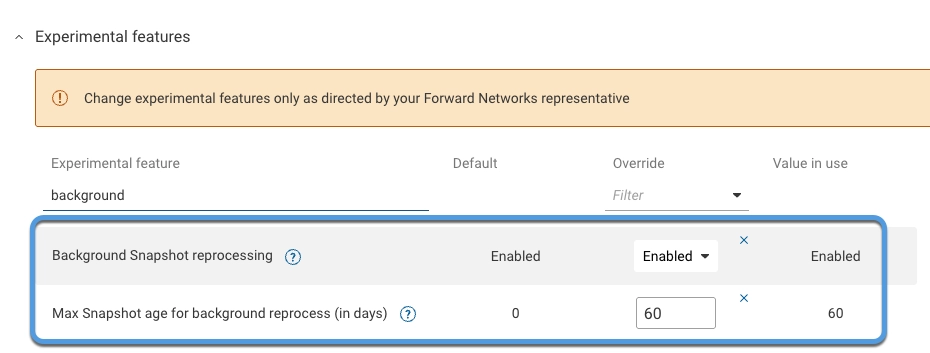
- Set the Max Snapshot age for background reprocess (in days) option to the desired number of days.
Disable Snapshot Reprocessing
To disable Snapshot reprocessing:
- Navigate to Settings → System → Org preferences.
- Expand the Experimental Features section.
- Set the Background Snapshots reprocessing option to Disable.