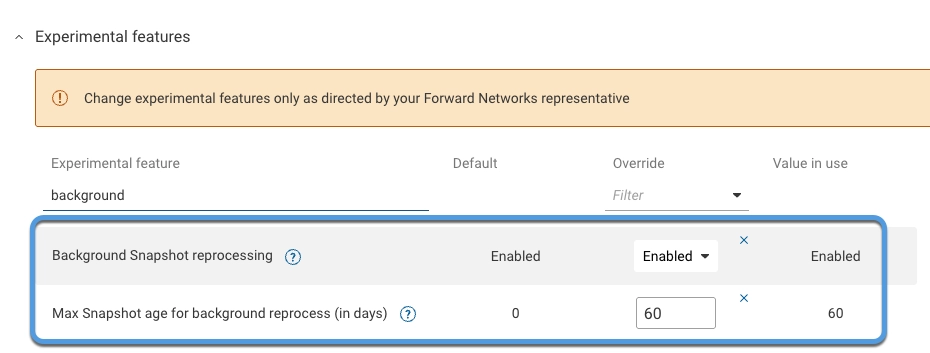
Background Snapshots Reprocessing
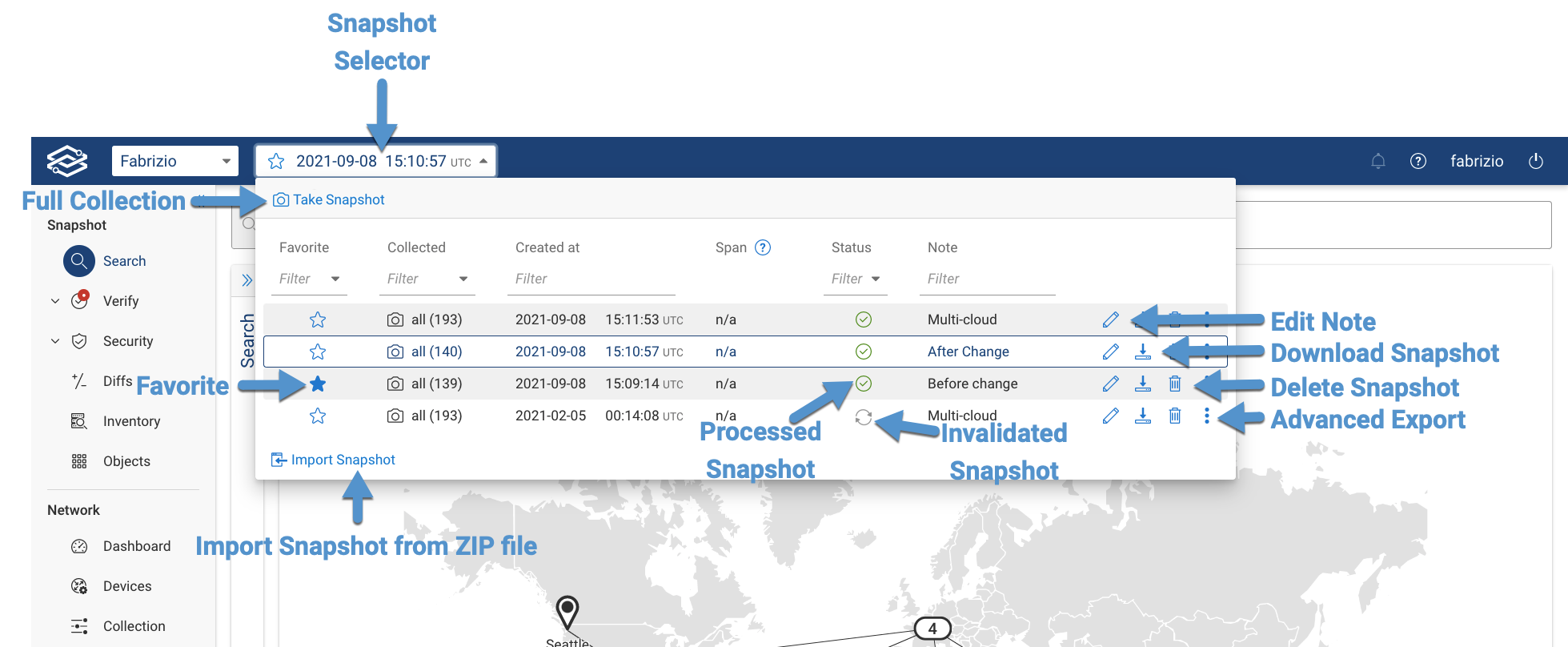
Network Snapshots in Forward Enterprise can become invalidated when the platform is updated or when certain changes, such as adding or updating a Synthetic Device, are made. Invalidated Snapshots must be reprocessed before they can be used again.
The Snapshot selector indicates whether a Snapshot is processed or invalidated, and reprocessing can be triggered manually by clicking on the Snapshot.
Automatic Snapshot Reprocessing
By default, the system automatically reprocess the following Snapshots within each network:
- The most recent Snapshot.
- All favorited Snapshots.
- One Snapshot per day for the last 7 days.
- All Snapshots up to the configured age (optional).
Configure Maximum Snapshot Age
To configure the maximum age for automatic Snapshot reprocessing:
- Navigate to Settings → System → Org Preferences.
- Expand the Experimental Features section.
- Set the Max Snapshot age for background reprocess (in days) option to the desired number of days.
Disable Snapshot Reprocessing
To disable Snapshot reprocessing:
- Navigate to Settings → System → Org preferences.
- Expand the Experimental Features section.
- Set the Background Snapshots reprocessing option to Disable.