Collection Settings
Collection settings are split across three levels: organization, collector, and individual source. The table below shows where each setting is configured.
Where settings live
| Scope | Configure at | Settings |
|---|---|---|
| Organization | Platform → Collectors → Organization collection settings (button on the page header) | Rate limits, timeouts, retries, RIB collection, sensitive data redaction, trusted certificates, custom SSH password prompts, beta commands, SNMP credential discovery |
| Collector | Platform → Collectors, then click a collector row → Settings tab | Global connection concurrency, vCenter collection concurrency, SNMP performance data collection concurrency |
| Source | Sources → <source-type>, then add or edit a source | Per-jump-server concurrency, per-cloud-account API concurrency and timeouts, custom Azure environments |
| Network | Collection → Collection Settings (per-network) | Collection schedule, snapshot retention policy, custom collection groups, endpoint profiles, credentials, jump servers, internet proxies |
Organization collection settings
Click Organization collection settings in the Collectors page header to open the drawer. It has three tabs.
Limits tab
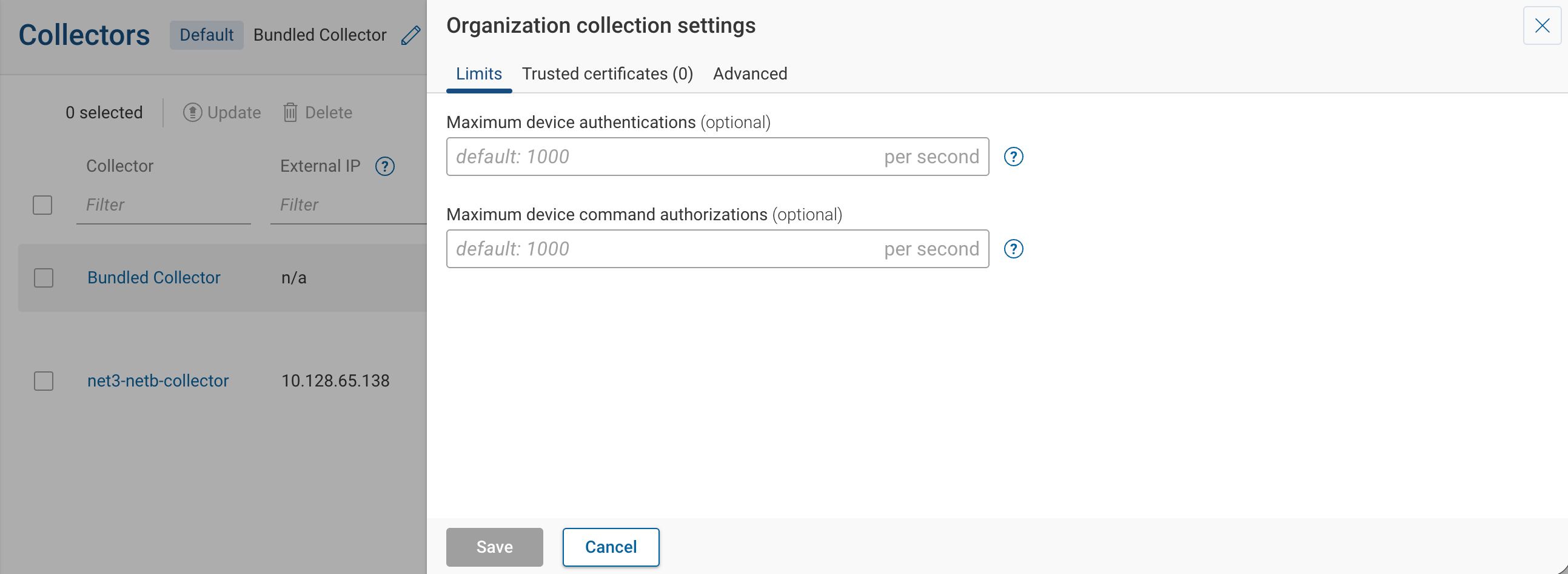
These rate limits are configured at the org level but enforced independently on each collector. Each collector has its own bucket; with multiple collectors running, the upstream load on TACACS / RADIUS scales with the collector count.
Rate limits are the right lever for controlling load on shared infrastructure such as AAA servers. They cap authentication and command-authorization traffic by rate — a ceiling on requests per second, applied across all devices on the collector — so the collector sends a steady, bounded request stream to an AAA server regardless of how many devices it collects in parallel.
Lowering collector concurrency does not have the same effect. Concurrency caps how many devices the collector talks to at once, which governs the collector's own CPU and memory. It influences upstream load only indirectly: fewer devices in parallel is fewer simultaneous authentications, but it does not cap the request rate. A collector with low concurrency can still issue authentications fast enough to overwhelm a TACACS or RADIUS server as it moves from one device to the next, and starving concurrency to compensate slows the whole snapshot without fixing the root cause. When the AAA server is the constraint, lower the rate limits and leave concurrency sized for the collector.
See Optimize Collection Time for choosing between the two from the symptoms you observe in the Onboarding Dashboard.
| Field | Default | Description |
|---|---|---|
| Maximum device authentications | 1000/s | Cap per collector on SSH or Telnet authentication attempts to network devices. |
| Maximum device command authorizations | 1000/s | Cap per collector on CLI commands issued to devices. |
Trusted certificates tab
Use this tab to add certificates that the collector should include in the certificate chain when it talks to cloud systems and controllers. This is useful when proxies or firewalls decrypt traffic for inspection and re-encrypt it with their own keys.
Click Add trusted certificate to add an entry, then click Apply all changes. Applying restarts the collector once any in-progress jobs finish.
Advanced tab
The Advanced tab is grouped into the following sections.
Concurrencies
| Field | Default | Description |
|---|---|---|
| Extra connections per device | 0 | Extra SSH connections per device for parallelizable collection (e.g. VRFs). |
| Allowed concurrent SNMP requests per device | 4 | Cap on simultaneous SNMP requests per device, applied to credential auto-discovery and OID collection. |
| Maximum number of connections | 2000/s | Connection rate during the connection-scan phase of a subnet scan. |
Timeouts
| Field | Default | Description |
|---|---|---|
| Snapshot collection timeout | 360 minutes | Total collection time across all devices in a snapshot. |
| Device collection timeout | 180 minutes | Per-device collection time. |
| Connectivity test timeout | 20 minutes | Per-device connectivity test time. |
| Device discovery timeout | 360 minutes | Total discovery time across all devices in a snapshot. |
Retries
| Field | Default | Description |
|---|---|---|
| Number of retries | 5 per device | Maximum retry attempts for a failed device. Subsequent attempts use exponential backoff. |
| Delay before 1st retry | 15000 ms | Initial retry delay; subsequent delays double up to Maximum retry delay. |
| Maximum retry delay | 60000 ms | Cap on retry delay. |
RIB collection
Applies to Arista, Cisco, and Juniper.
- Max number of routes — Cap on routes collected per device. When the cap is exceeded, only routes whose subnets appear in Required subnets are collected. The default route is always collected.
- Required subnets — Subnets to always collect, one per line. Both IPv4 and IPv6 are supported (e.g.
10.42.2.0/24,fd00:1942:3::/48). - VRF/routing instance name filters — Glob patterns for VRFs to collect, one per line (e.g.
default,VRF?,*-VRF).
Sensitive data redaction
The redaction algorithm and patterns configured here apply to every network in the organization. See Sensitive Data Redaction for behavior and guidance on each algorithm.
| Field | Description |
|---|---|
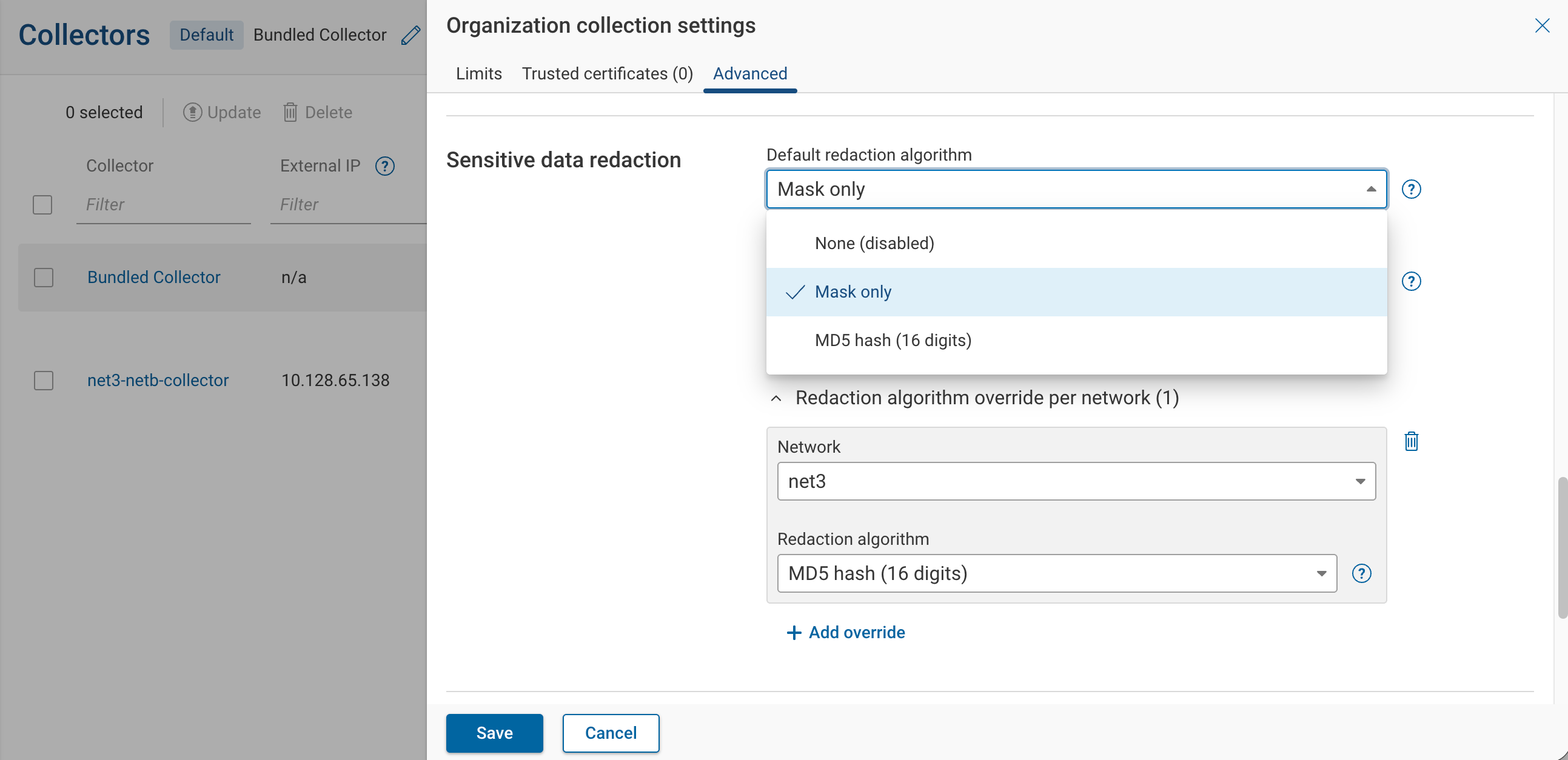
| Default redaction algorithm | Redaction applied to sensitive fields. Options: None (disabled), Mask only, MD5 hash (16 digits). |
| Hierarchical pattern filters | Custom redaction patterns, one per line. Globs and regex are both supported. |
| Redaction algorithm override per network | Optional per-network overrides of the default algorithm. Resolution order: network's own override, parent network's override (for workspaces), organization default. |
Other collection options
- Enable collection of the beta commands — When off, beta commands are skipped, which may reduce model accuracy.
- Enable SNMP credential auto-discovery for all devices — When on, the collector tries configured SNMP credentials against newly added devices.
SSH authentication
- Password prompts — Custom prompt strings to recognize password challenges from remote AAA servers, one per line.
Per-collector settings
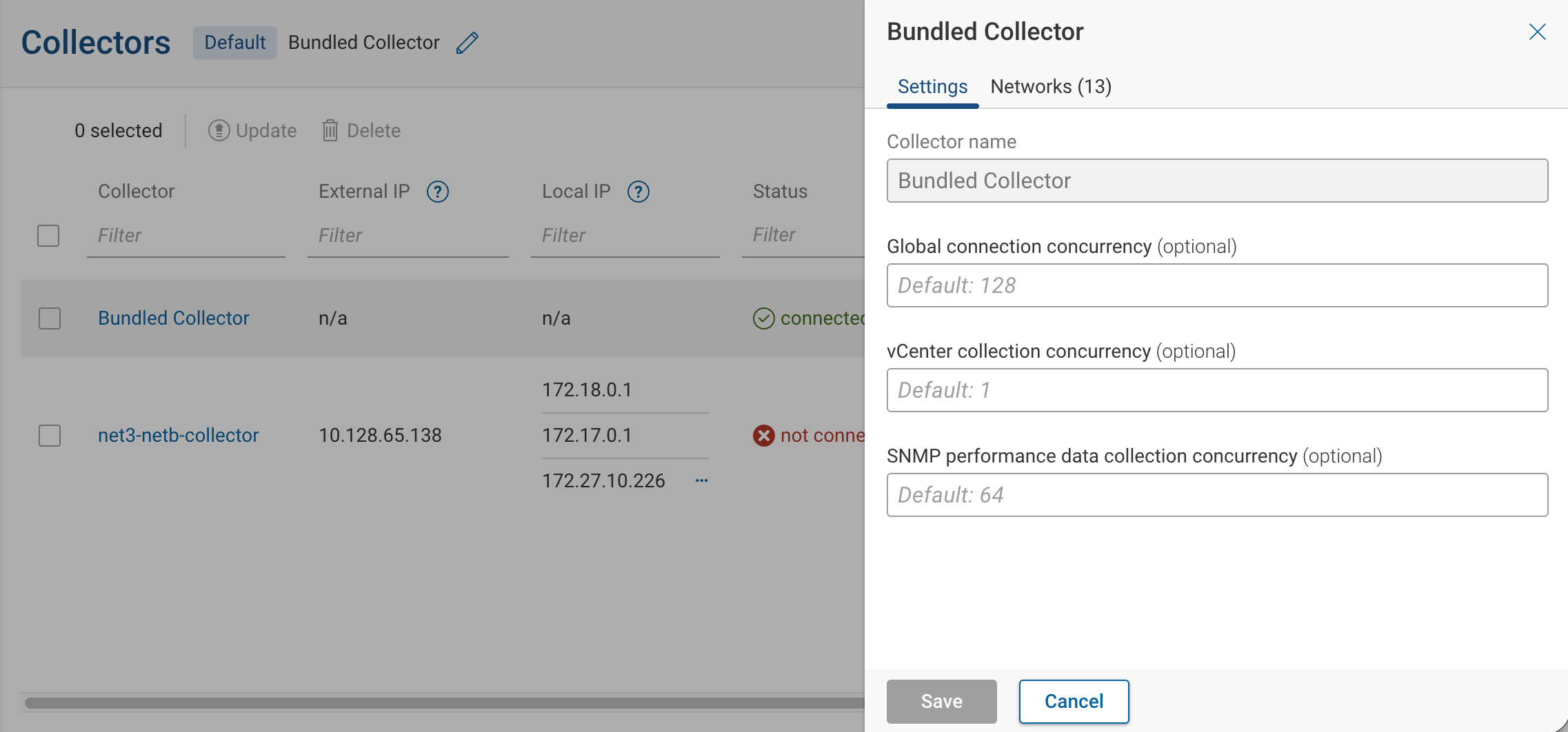
Open the Settings tab on the Collector drawer (Platform → Collectors → click a row).
Global connection concurrency primarily manages memory pressure on the collector itself. Raise it when the collector has spare CPU and memory but does not use it — collection runs below the limit while the VM has headroom. Lower it when the collector runs short on CPU or memory: too many parallel collections cause thrashing or out-of-memory failures, so reducing concurrency trades some speed for stable collection. To control load on upstream infrastructure, use the org-level rate limits instead.
| Field | Default | Description |
|---|---|---|
| Global connection concurrency | 128 | Total concurrent SSH/CLI connections from this collector across all devices it serves. |
| vCenter collection concurrency | 1 | Concurrent vCenter API calls from this collector. |
| SNMP performance data collection concurrency | 64 | Concurrent SNMP performance polls from this collector. See Performance Data for the per-device thresholds. |
Per-source settings
Some collection knobs live with the source itself rather than the collector or the organization. Edit a source from Sources → <type>.
| Source type | Source-level fields |
|---|---|
| Jump server | Maximum startups, Maximum sessions (see Jump Servers) |
| AWS | Maximum concurrent API requests, API connection timeout, API request timeout |
| Azure | Maximum concurrent API requests, API connection timeout, API request timeout, Custom environment name |
| GCP | Maximum concurrent API requests, API connection timeout, API request timeout |
| NSX-T manager | Maximum concurrent API requests |
| Velocloud | Maximum concurrent API requests |
| Meraki | Maximum concurrent API requests |
These per-source fields control load on the individual jump server or API-based source they belong to, such as a single jump server or cloud account. They are bounded by the collector's Global connection concurrency.
RBAC
| Action | Org Admin | Network Admin | Network Operator | Read-only |
|---|---|---|---|---|
| View Organization collection settings | Yes | Yes | Yes | Yes |
| Edit Organization collection settings | Yes | No | No | No |
| View per-collector settings | Yes | Yes | Yes | Yes |
| Edit per-collector settings | Yes | No | No | No |
| Override redaction algorithm for a network | Yes | No | No | No |
Workspace networks
Concurrency, timeouts, retries, trusted certificates, and per-source fields apply to a workspace network the same way they apply to its parent — through the workspace's collector and the organization. There are no per-workspace values for any of these.
A workspace can use a different redaction algorithm than its organization. Add an entry for the workspace in Redaction algorithm override per network under the Advanced tab. At collection time the algorithm resolves to: workspace's own override → parent's override → organization default.