Collection Concurrency and Rate Limits
The Forward Collector limits how many devices it talks to in parallel. The limits are split across three scopes:
| Scope | Configure at | What it caps |
|---|---|---|
| Collector | Platform → Collectors → click a collector → Settings tab | Total concurrent SSH/CLI connections from one collector |
| Organization | Platform → Collectors → Organization collection settings → Advanced | Per-device extras and per-device SNMP |
| Source | Sources → <type> → add or edit | Per-jump-server SSH limits and per-cloud-account API request rate |
For an overview of the full settings hierarchy, see Collection Settings. To pick the right limit from collection symptoms, see Optimize Collection Time.
There are two reasons to change these limits from their defaults:
- Faster snapshots — Raise concurrency when collection is the slowest step in your workflow and the collector, network gear, AAA servers, and jump servers all have headroom.
- More stable collection — Lower concurrency when devices return false-positive auth failed statuses, AAA servers report rate-limit errors, or jump servers run out of resources.
Collector concurrency
These limits are per-collector. They cap the total work a single collector can have in flight at once.
Open Platform → Collectors, click the collector, and configure the Settings tab.
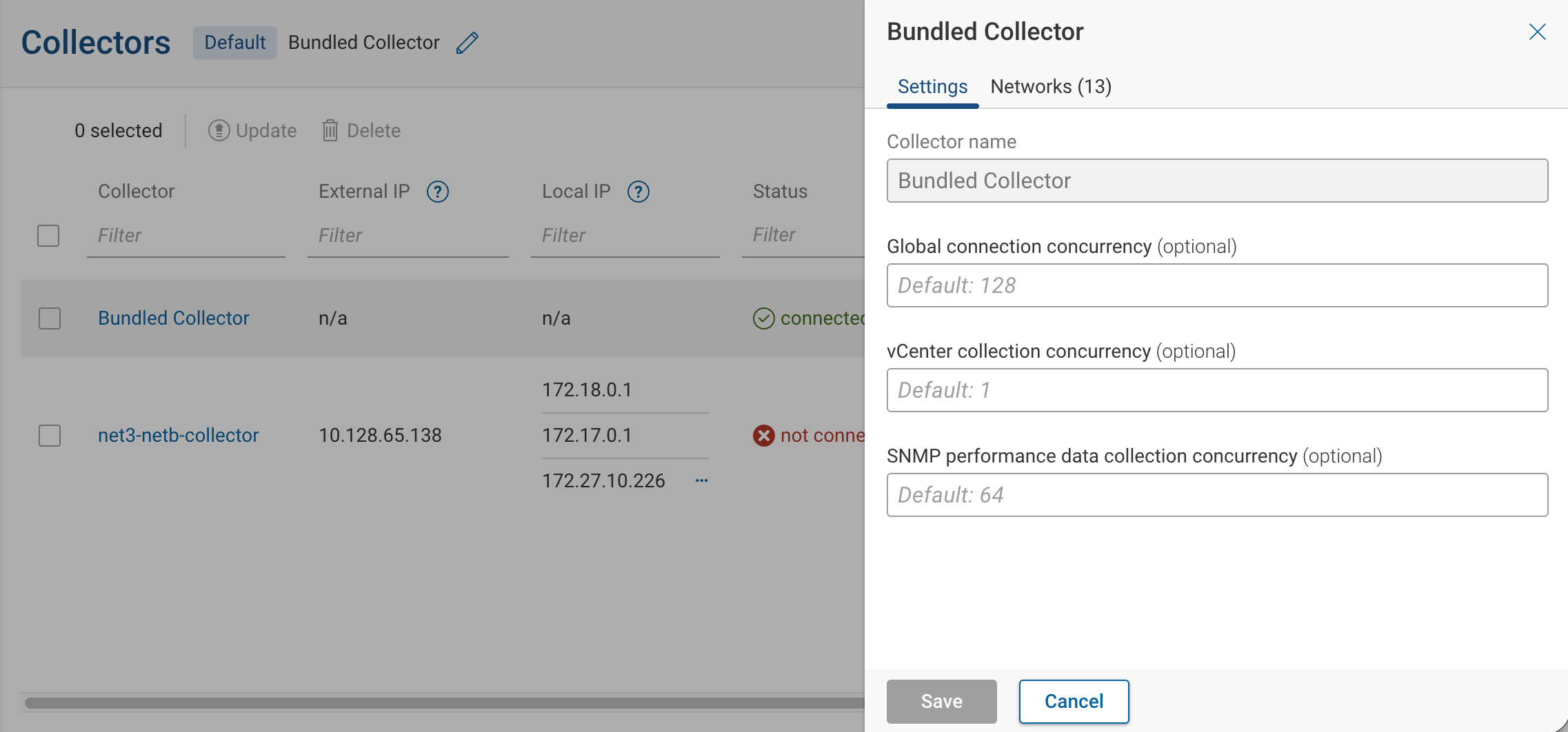
| Field | Default |
|---|---|
| Global connection concurrency | 128 |
| vCenter collection concurrency | 1 |
| SNMP performance data collection concurrency | 64 |
Global connection concurrency is the primary cap on parallel device collection. Per-source and per-jump-server limits are bounded by it. Raise it when device collection runs serially even though the collector has spare CPU and network capacity. Lower it when the collector itself becomes the bottleneck — high CPU, memory pressure, or AAA-side rate limiting.
vCenter collection concurrency defaults to 1 because vCenter APIs are sensitive to parallel requests. Raise it only if your vCenter infrastructure is sized for it and vCenter collection is the slow step.
SNMP performance data collection concurrency controls a separate worker pool dedicated to SNMP performance polling. Lower it if SNMP performance polls are competing with main collection or are causing devices to drop SNMP requests; raise it if performance data points are arriving late or with gaps.
Per-device concurrency
Configure these extras under Organization collection settings → Advanced → Concurrencies.
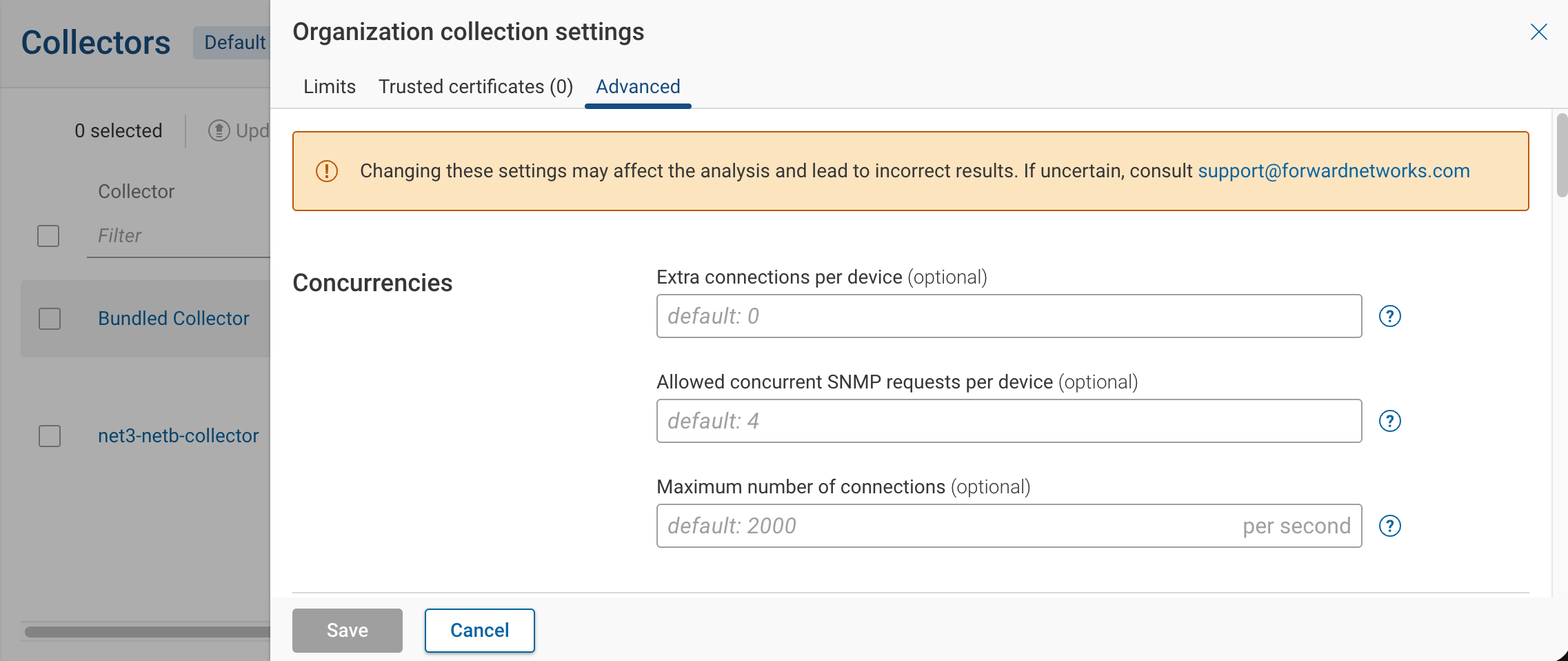
- Extra connections per device (default 0) — Additional SSH connections per device for parallelizable work (for example, walking multiple VRFs in parallel). These do not count against Global connection concurrency. Raise it when per-device collection time is dominated by sequential VRF or context walks. Leave it at 0 if devices already auth-fail or saturate under default load.
- Allowed concurrent SNMP requests per device (default 4) — Cap on simultaneous SNMP requests to a single device, applied to credential auto-discovery and OID collection. Raise it for modern devices that pipeline SNMP well. Lower it if a device drops SNMP requests or its CPU spikes during collection.
- Maximum number of connections (default 2000/s) — Connection rate during the connection-scan phase of a subnet scan. Lower it if the subnet scan trips intrusion-detection alerts or AAA rate limits; raise it on isolated lab networks where the scan is too slow.
Per-source concurrency
| Source type | Field | Configure at |
|---|---|---|
| Jump server | Maximum startups, Maximum sessions | Sources → Jump servers → edit. See Jump Servers. |
| AWS | Maximum concurrent API requests, timeouts | Sources → Cloud setups → AWS → edit |
| Azure | Maximum concurrent API requests, timeouts | Sources → Cloud setups → Azure → edit |
| GCP | Maximum concurrent API requests, timeouts | Sources → Cloud setups → GCP → edit |
| NSX-T manager | Maximum concurrent API requests | Sources → VM platforms → NSX-T → edit |
| Velocloud | Maximum concurrent API requests | Sources → Cloud-managed devices → Velocloud → edit |
| Meraki | Maximum concurrent API requests | Sources → Cloud-managed devices → Meraki → edit |
Each source's Maximum concurrent API requests is bounded by Global connection concurrency. Lower it if the cloud provider returns throttling errors during collection; raise it if cloud collection runs serially while the collector has spare capacity. AWS, Azure, and GCP also expose API connection timeout and API request timeout — raise them only when collection fails on slow but otherwise healthy API responses.
For jump servers, Maximum startups mirrors the MaxStartups setting in the jump server's sshd_config and limits
unauthenticated connections. Maximum sessions caps authenticated sessions through that one jump server and is
bounded by Global connection concurrency. See
Jump Servers for setup.
Rate limits
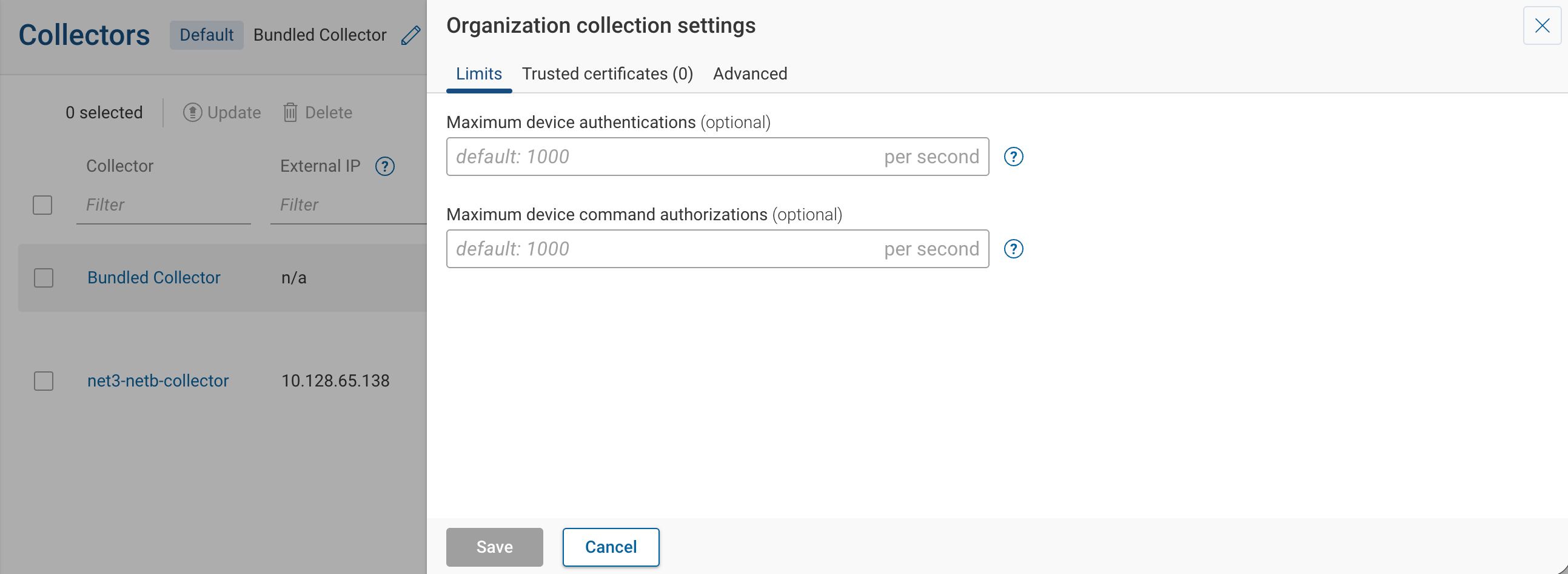
Rate limits cap the rate of authentication and command-authorization traffic to network devices. Configure them under Organization collection settings → Limits.
| Field | Default | Range | Purpose |
|---|---|---|---|
| Maximum device authentications | 1000/s | 1–1000 | Caps the rate of SSH/Telnet authentication attempts per collector. |
| Maximum device command authorizations | 1000/s | 1–1000 | Caps the rate of CLI commands issued per collector during collection. |
These limits are configured at the org level but enforced independently on each collector. Each collector gets its own bucket of 1000 device authentications per second, 1000 command authorizations per second, and 2000 subnet-scan connections per second. With three collectors running in parallel, your AAA infrastructure may see up to 3000 authentications per second total. Size your TACACS or RADIUS capacity accordingly when adding collectors.
Both rate limits are aggregate across all devices on a single collector, not per-device. Lower them when TACACS or RADIUS servers report excessive load during collection, or when device audit logs fill with failed-auth events. Concurrency caps work across all devices at once; rate limits spread that work over time.
Cheat sheet
What bounds what
The collector's Global connection concurrency is the primary cap. Per-source caps and per-jump-server Maximum sessions count against it. vCenter and SNMP performance data collection use separate pools that do not consume from global concurrency. Org-level rate limits are independent of all of these — and each collector enforces its own bucket (see the Rate limits note above).

Scope hierarchy
Org-level knobs apply to every collector. Collector-level knobs apply only to that one collector. Source-level knobs apply only to that one source.
