Predefined Verification
Predefined checks are built-in verification checks that cover common configuration and state constructs across the entire network. They are applicable to many network environments and provide an easy starting point for capturing the platform's value against common sources of network issues.
The following are a few examples:
- BGP Neighbor Adjacency — For each BGP neighbor, the adjacency should be established and at least one route received from that neighbor
- VLAN Consistency — VLANs should be consistently defined on interfaces on either side of each link in the network
- Duplex Consistency — Interfaces at both ends of each link should have the same duplex type configured
- MTU Consistency — Interfaces at both ends of each link should have the same MTU. Values are normalized to include only Layer 3 fields and up
This section describes the library of predefined checks available out of the box. For custom verification checks authored via the Network Query Engine, see NQE-Based Verification.
Enabling the Predefined Checks
Enable or disable a predefined check from the Verify page. Once enabled, each check runs immediately against the current snapshot and its passed or failed status is shown.
Predefined checks run against the selected snapshot. You can switch snapshots to verify historical network state.
The predefined checks are grouped based on the networking area they cover.
Predefined Checks for Interfaces
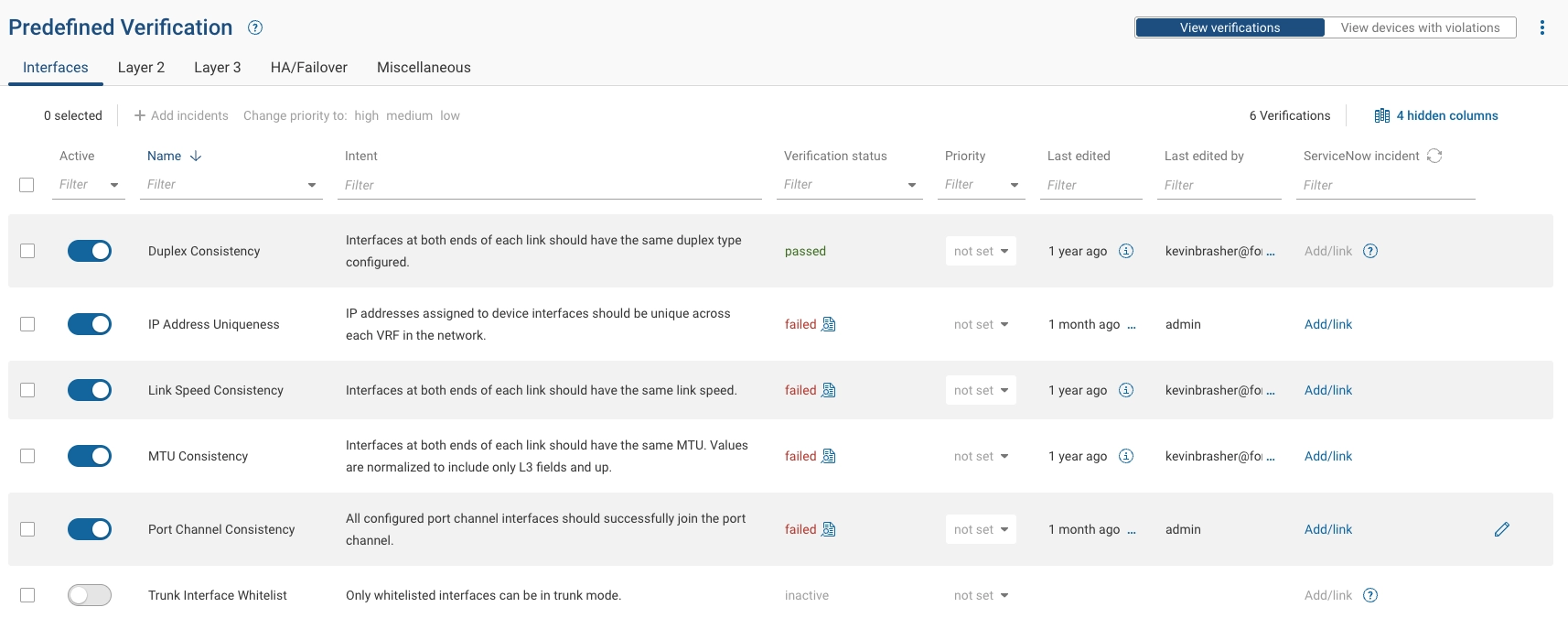
- Duplex Consistency - Interfaces at both ends of each link should have the same duplex type configured.
- IP Address Uniqueness - IP addresses assigned to device interfaces should be unique across each VRF in the network.
- Link Speed Consistency - Interfaces at both ends of each link should have the same link speed.
- MTU Consistency - Interfaces at both ends of each link should have the same MTU. Values are normalized to include only Layer 3 fields and up.
Some network platforms report the interface MTU size differently than configured. This happens when the line of MTU
configuration includes the Layer 2 header fields, but the show interface command (or equivalent) output includes only
Layer 3 header fields and up. To reduce confusion, the collected interface data is normalized and the MTU Consistency
predefined check only takes Layer 3 fields and up when comparing the interfaces.
- Port Channel Consistency - All configured port channel interfaces should successfully join the port channel.
- Trunk Interface Whitelist - Only whitelisted interfaces can be in trunk mode.
Predefined Checks for Layer 2
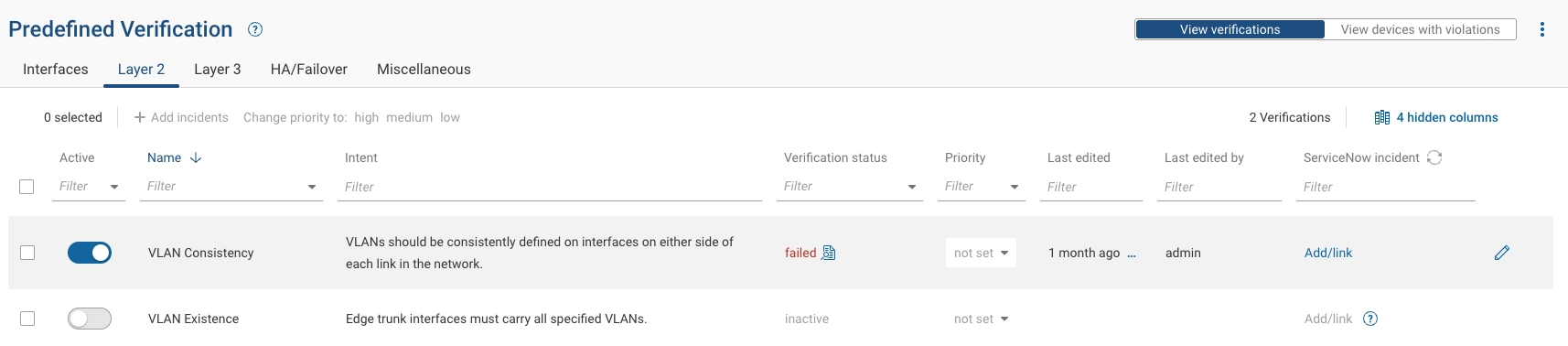
- VLAN Consistency - VLANs should be consistently defined on interfaces on either side of each link.
- VLAN Existence - Edge trunk interfaces must carry all specified VLANs.
Predefined Checks for Layer 3
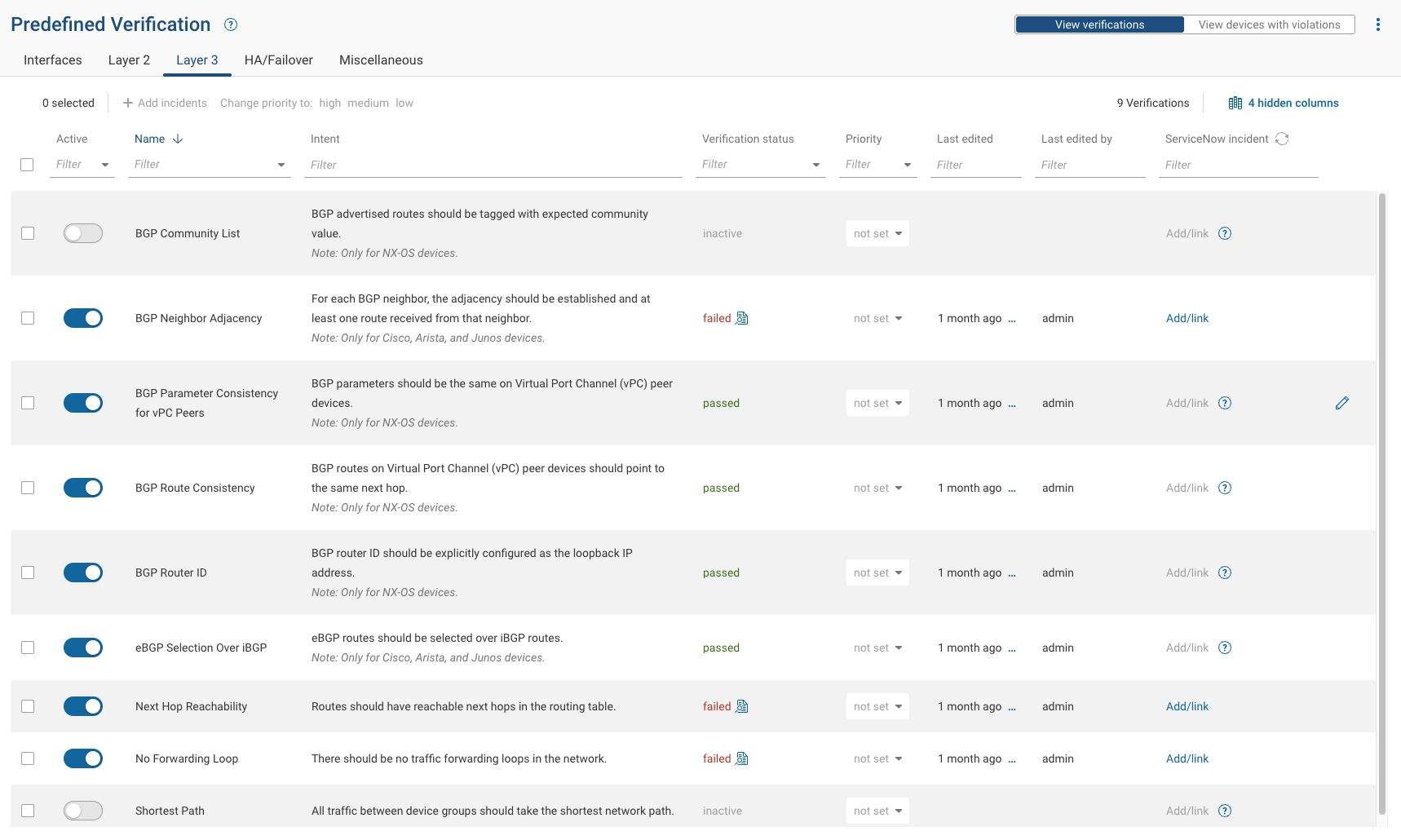
- BGP Community List - BGP advertised routes should be tagged with expected community value (Cisco NX-OS devices only).
- BGP Neighbor Adjacency - For each BGP neighbor, the adjacency should be established and at least one route received from that neighbor (Cisco and Junos devices only).
- BGP Parameter Consistency for vPC Peers - BGP parameters should be the same on vPC peer devices (Cisco NX-OS devices only).
- BGP Route Consistency - BGP routes on Virtual Port Channel (vPC) peer devices should point to the same next hop (Cisco NX-OS devices only).
- BGP Router ID - BGP router ID should be the loopback IP address (Cisco NX-OS devices only).
- eBGP selection over iBGP - eBGP routes should be selected over iBGP routes (Cisco and Junos devices only).
- Next Hop Reachability - Routes should have reachable next hops in the routing table.
- No Forwarding Loops - There should be no traffic forwarding loops in the network.
- Shortest Path - All traffic between device groups should take the shortest network path.
Predefined Checks for HA and Failover
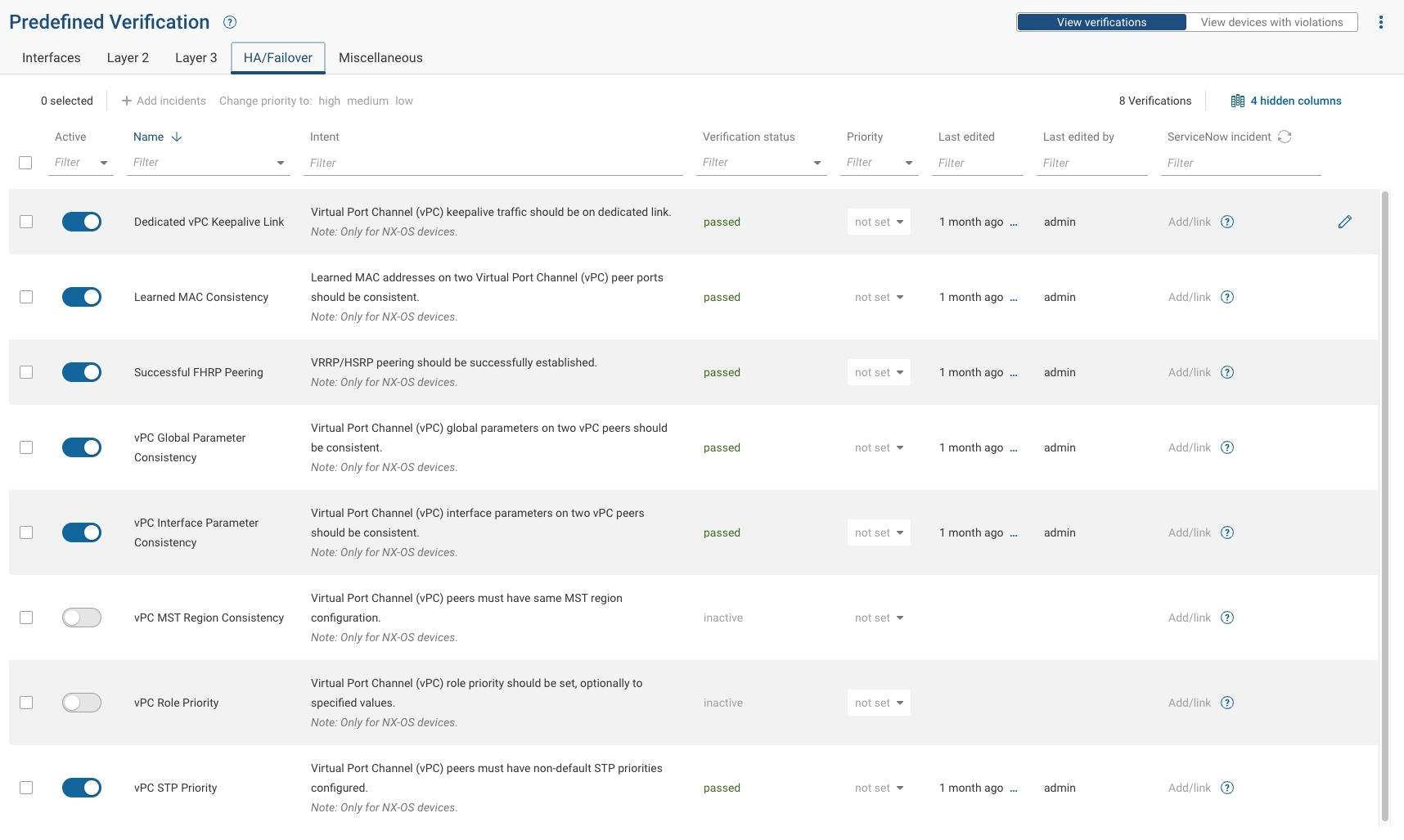
All checks in this section apply to Cisco NX-OS devices only, unless noted otherwise.
- Dedicated vPC Keepalive Link - vPC keepalive traffic should be on a dedicated link.
- Learned MAC Consistency - Learned MAC addresses on two Virtual Port Channel (vPC) peer ports should be consistent.
- Successful FHRP Peering - VRRP/HSRP peering should be successfully established.
- vPC Global Parameter Consistency - vPC global parameters on two vPC peers should be consistent.
- vPC Interface Parameter Consistency - vPC interface parameters on two vPC peers should be consistent.
- vPC MST Region Consistency - vPC peers must have same MST region configuration.
- vPC Role Priority - vPC role priority should be set, optionally to specified values.
- vPC STP Priority - vPC peers must have non-default STP priorities configured.
Predefined Checks for General and Device-Level
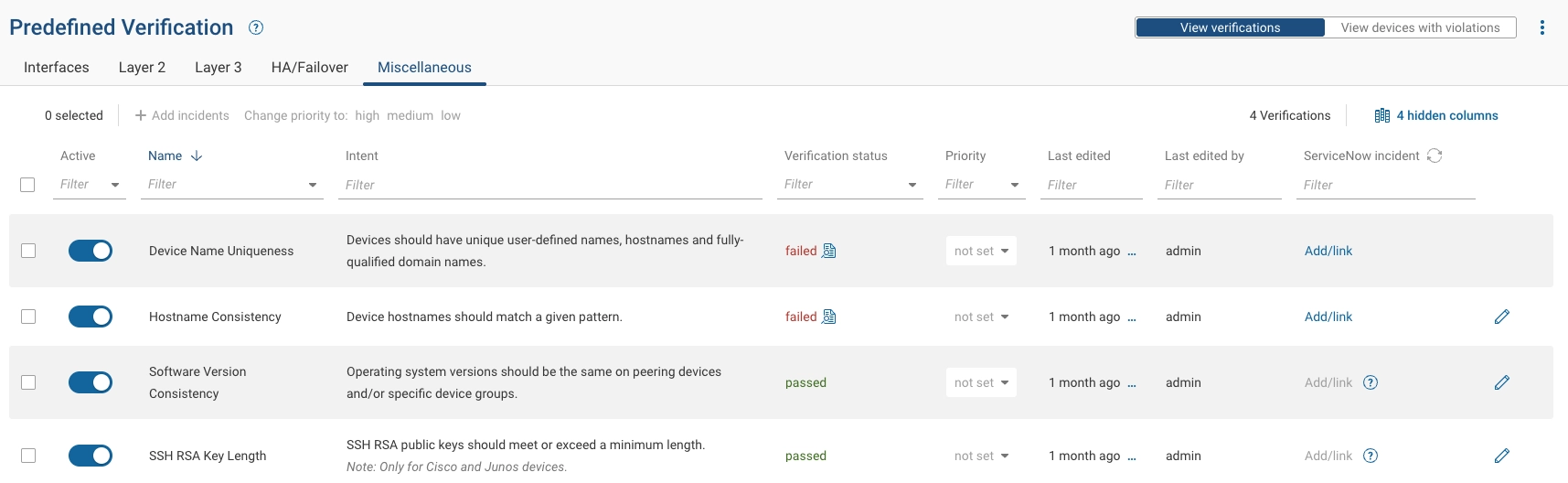
- Device Name Uniqueness - Devices should have unique user-defined names, hostnames, and fully-qualified domain names.
- Hostname Consistency - Device hostnames should match a given pattern.
- Software Version Consistency - Operating system versions should be the same on peering devices and/or specific device groups.
- SSH RSA Key Length - SSH RSA public keys should meet or exceed a minimum length (Cisco and Junos devices only).
Exploring Predefined Check Failures
From the "Predefined Checks" tab on the Verify page, you can explore the status of each enabled check in the Status column. For each failing check, click the failed link in the Status column to explore where in the network and how the check is failing.
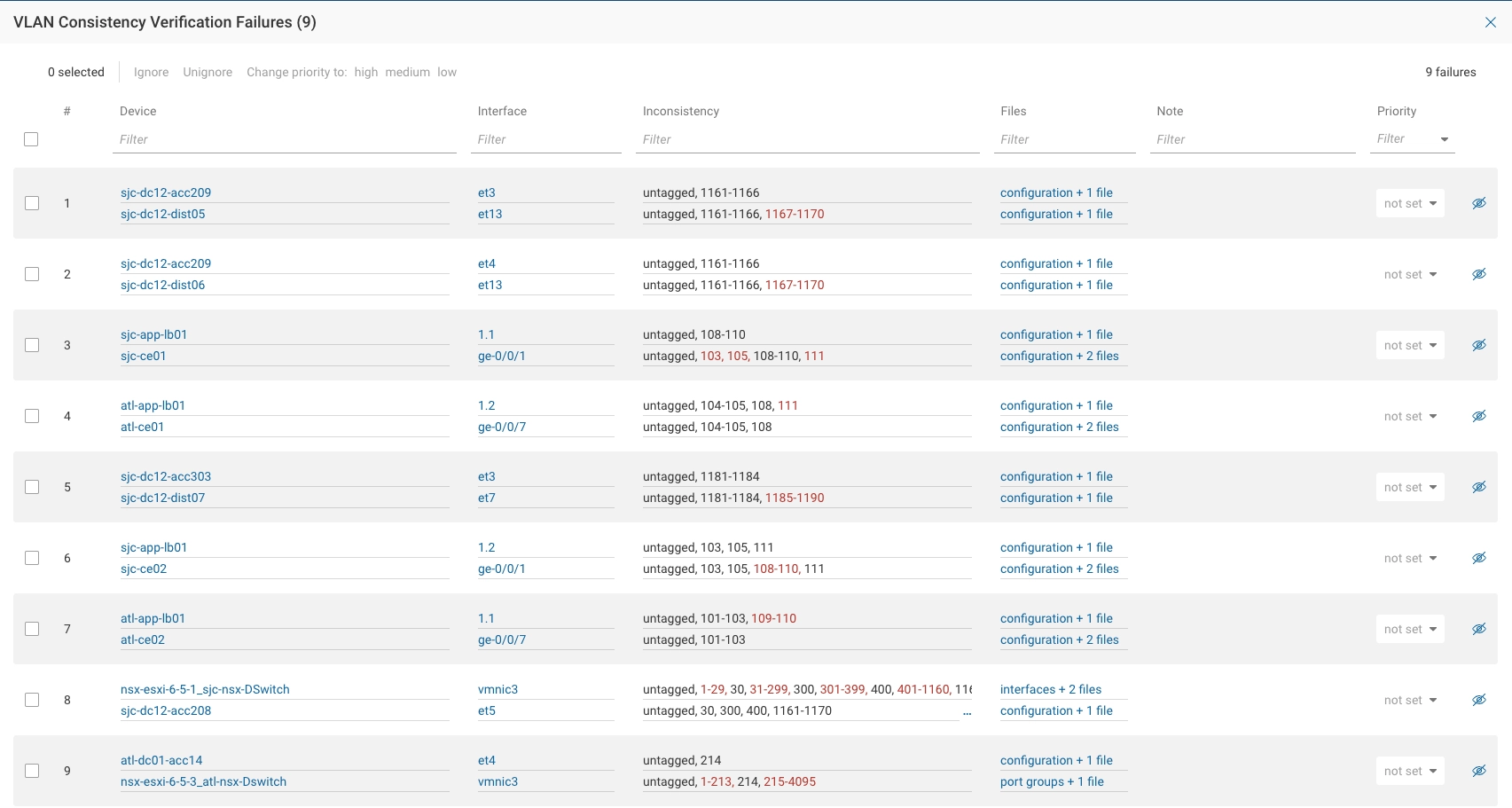
Results are presented in a filterable, sortable table. For each result you can:
- Assign a priority level (high, medium, or low)
- Add an annotation with additional context
- Hide (ignore) results deemed not important
The goal is to simplify, focus, and accelerate the remediation effort.
The image below shows the result page for the VLAN consistency check:
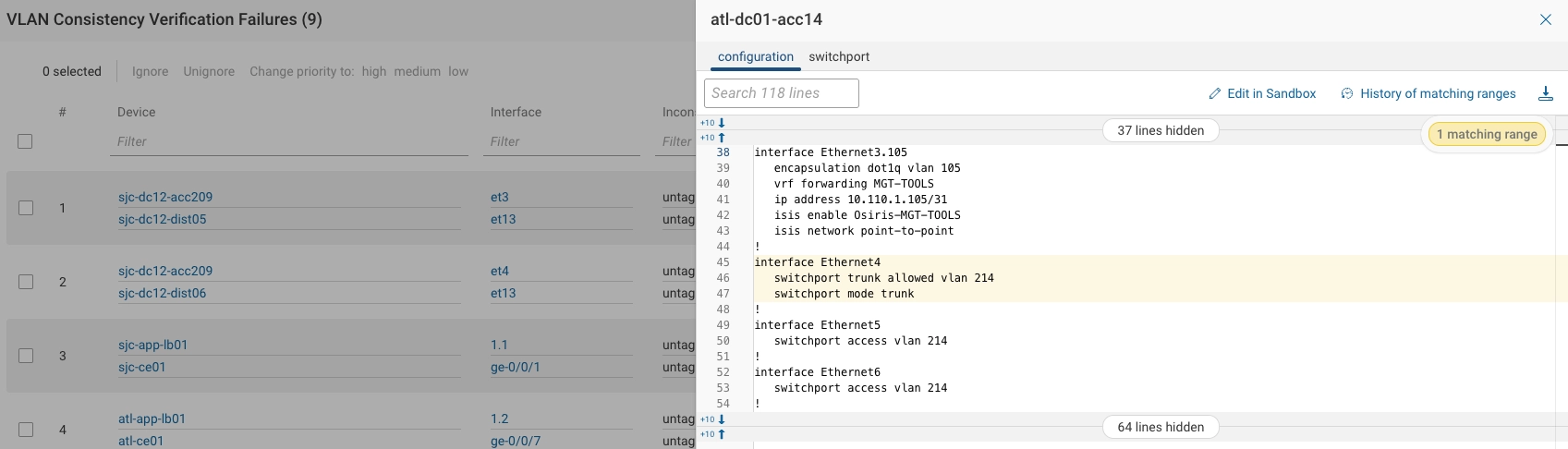
For each individual result, you can explore the configuration and state responsible for the failure. The system highlights the portion of the file for ease of debugging.
Exporting the Results for Remediation
You can download a Microsoft Excel spreadsheet that contains a tab for each check and its details.
