Data Disk Expansion
info
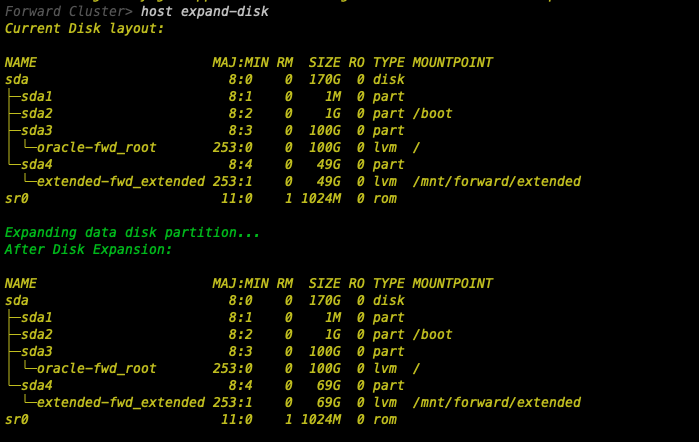
By default, the root partition is provisioned with ~100GB and the data partition is provisioned with ~49GB
Default Layout:
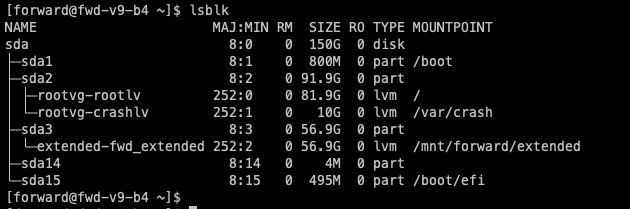
Update disk size in GCP:
-
Login to GCP Console
-
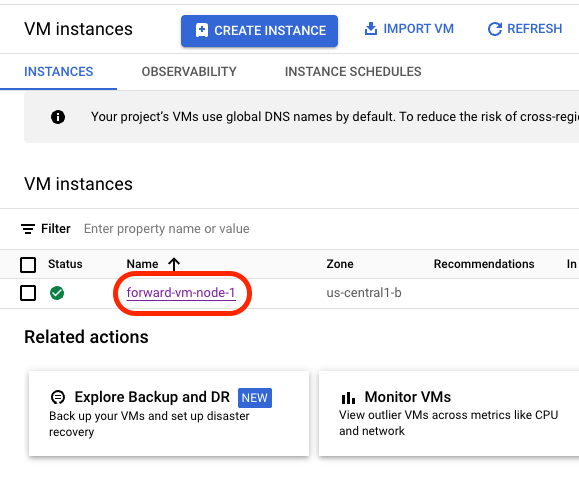
Navigate to VM Instances
-
Click on the VM that requires the disk size to be increased.
-
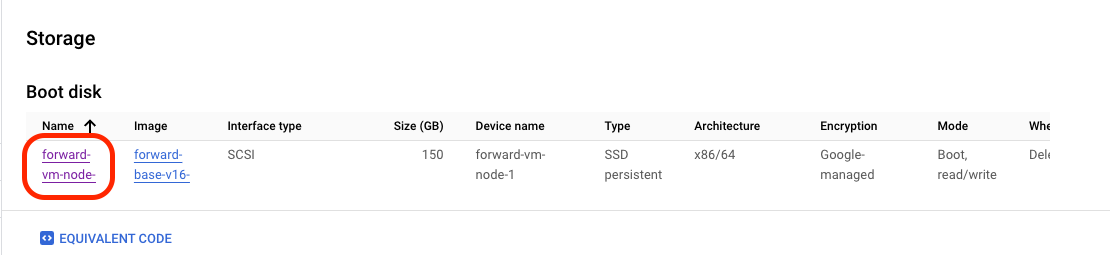
Navigate to the storage section and click on the boot disk name.
-
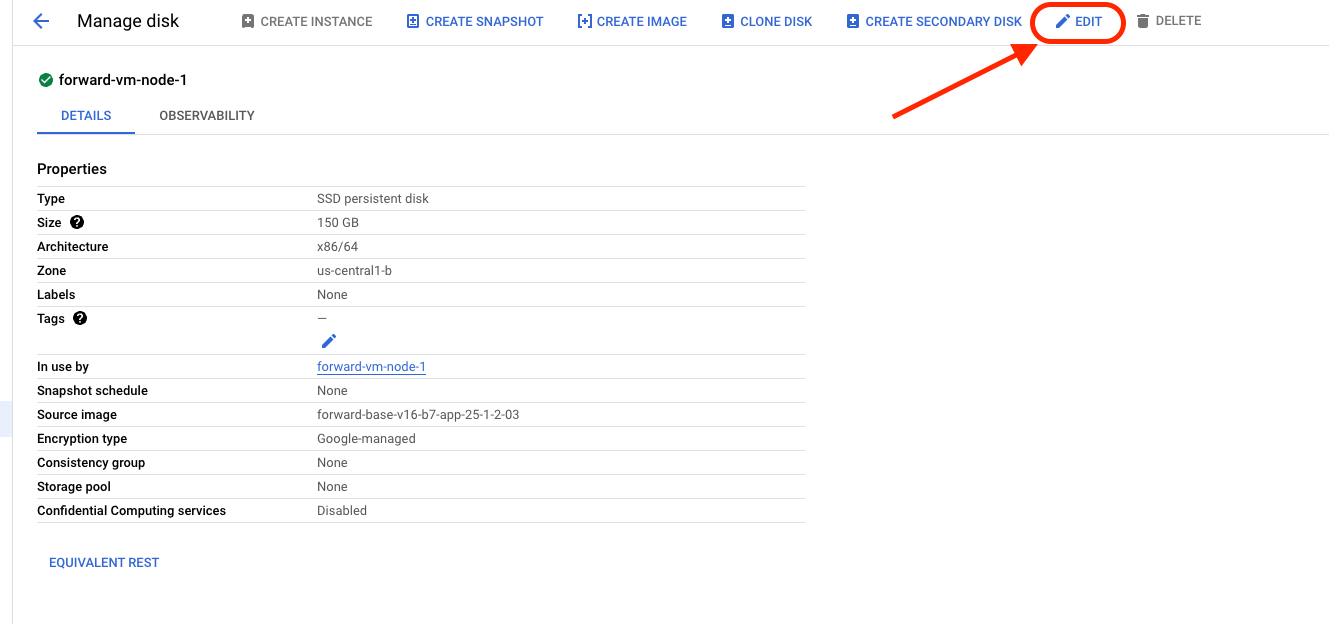
Click on the Edit button
-
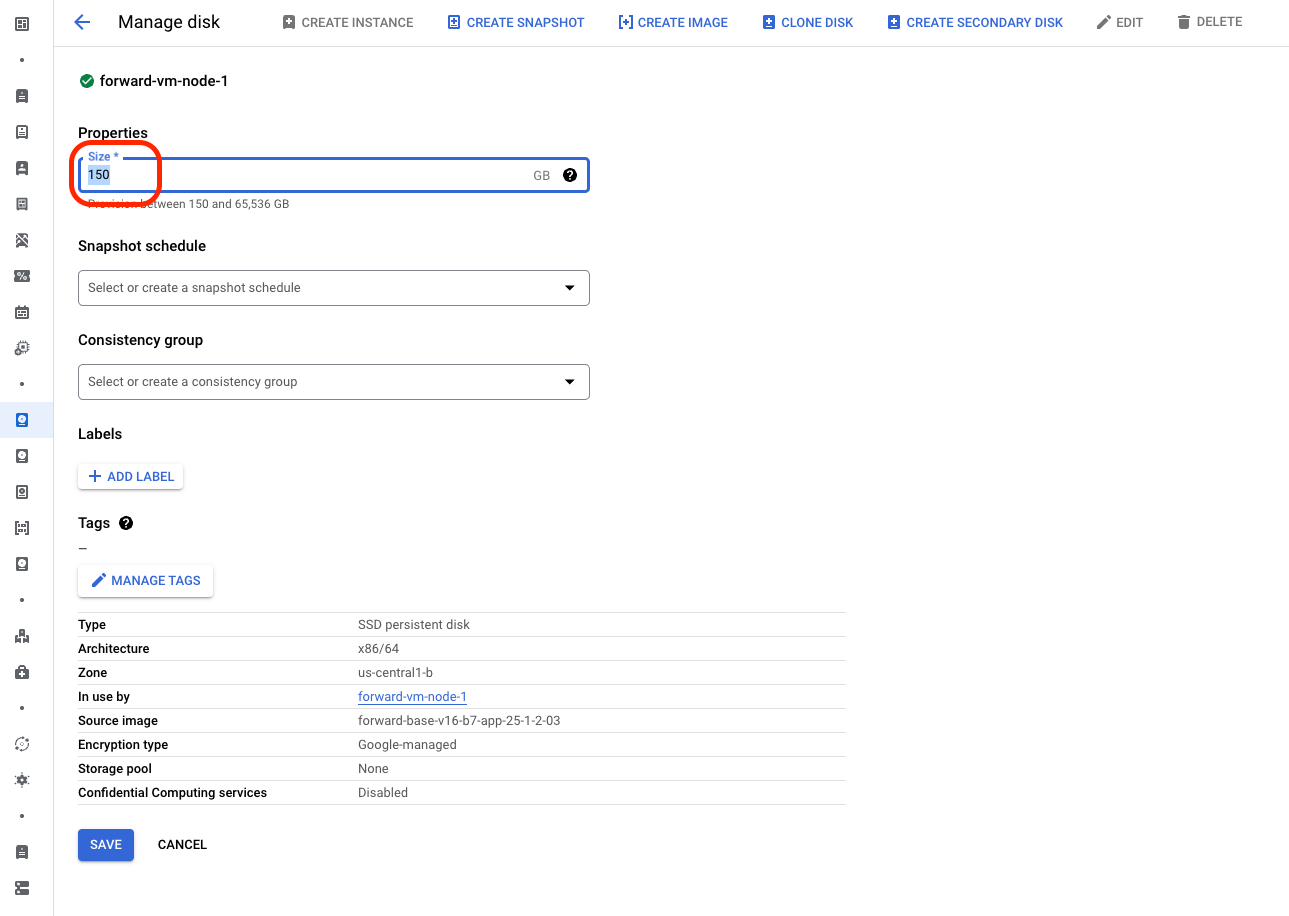
Replace the disk size with a value larger than the current one.
-
SSH into the VM and reboot the node to apply changes to the disk, then continue with the next section.
Expand the disk on a cluster node
-
To expand the available space on the disk, Launch the
fwd-clusterutility and execute the below command:Forward Cluster> host expand-disk