Changing IP Address of a Node
This is a disruptive procedure. While data loss is not expected, it is strongly recommended take a backup of the application data before proceeding.
Single-node deployments
Configure IP address on the host
Base version v16.1.0 and above:
- Launch fwd-utility and follow the steps shown below, to configure the IP address
fwd-cluster
Forward Cluster> host set ip static <IP_CIDR> gateway <GATEWAY_IP>
Forward Cluster> apply
Base version v16.0.0 and below:
-
We will use nmtui (Network Manager Text User Interface) to update the IP address of the VM. To configure a network interface IP address, start by invoking the nmtui tool.
sudo nmtui -
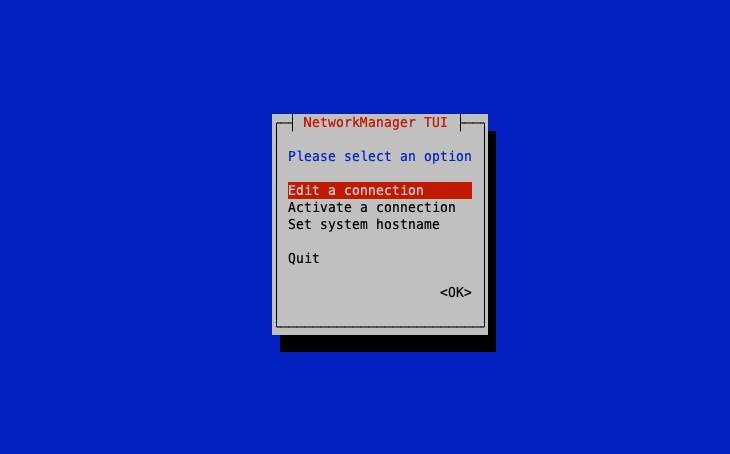
Select the first option ‘Edit a connection’ and hit ENTER.
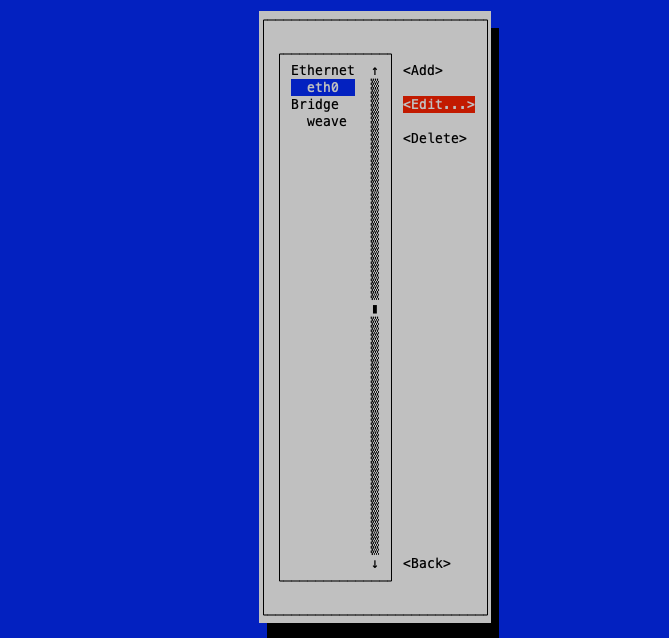
- Next, select the interface you want to configure and hit ENTER.
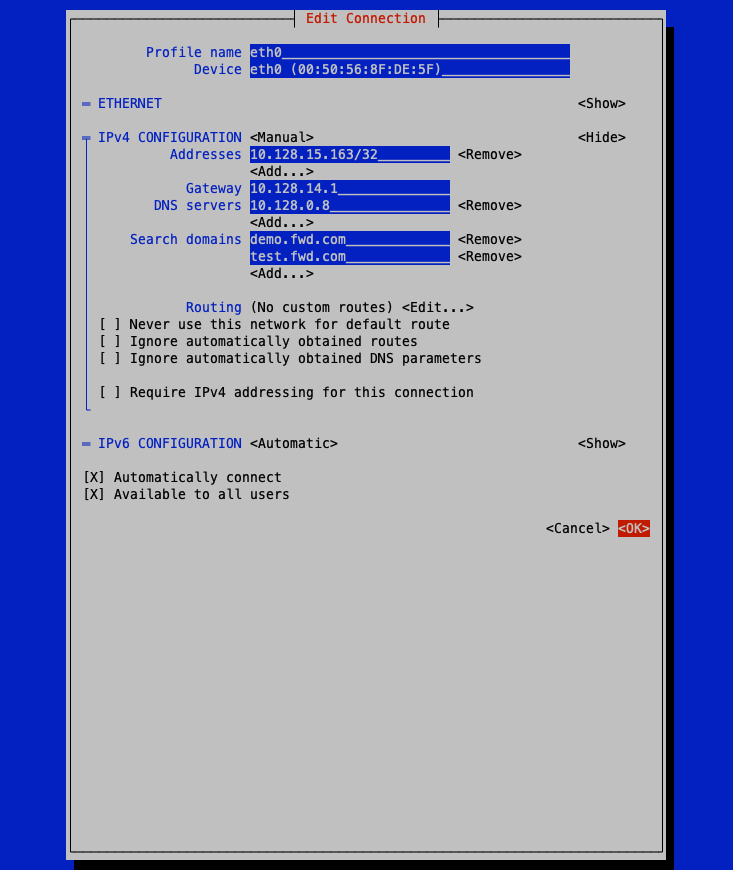
- Key in the preferred IP address, default gateway, and DNS server as shown below and then scroll all the way down and hit ENTER on the 'OK' option.
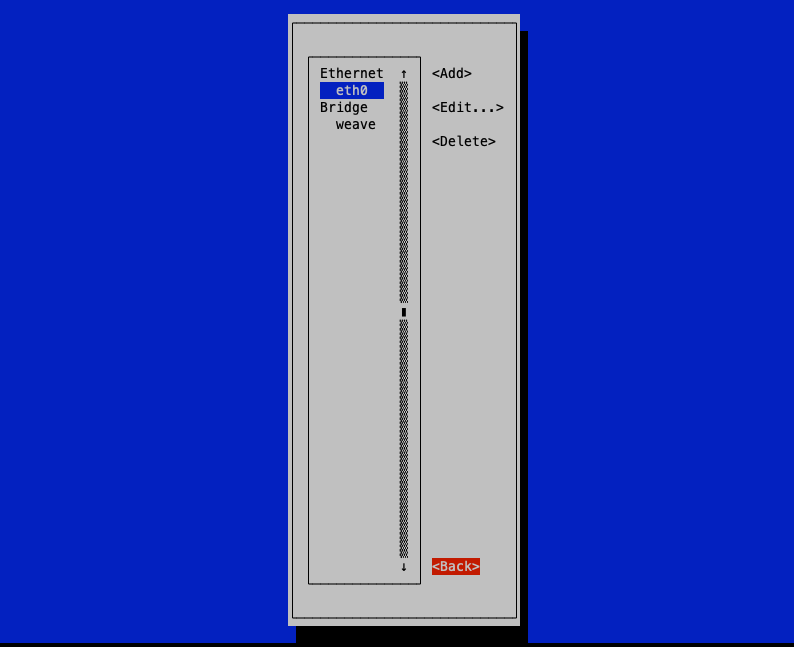
- This takes you back to the interfaces screen as shown below. Navigate and hit on the 'Back' option.
- Press ENTER on the 'Quit' selection to exit the nmtui screen
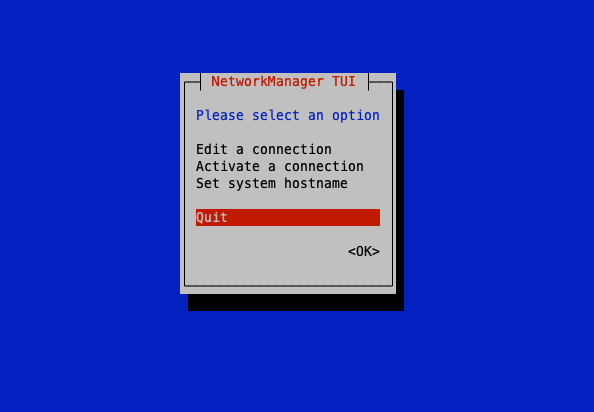
-
Reboot the VM using the below command so that the network configuration is updated.
sudo reboot -
Again, to verify that the network interface has acquired the IP address we have just configured, run the below command.
ip addr show eth0
Update IP address in cluster configurations:
-
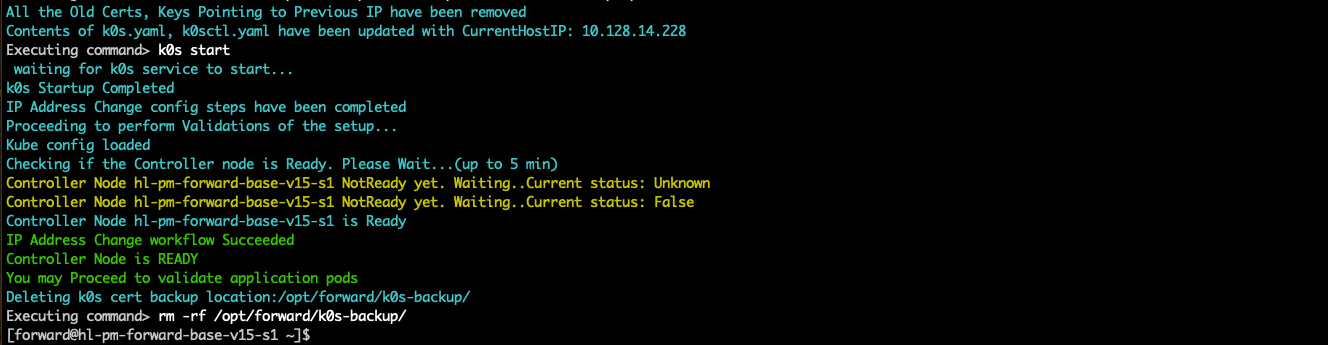
Execute the below script (only on single-node deployments):
sudo ./change_node_ip.py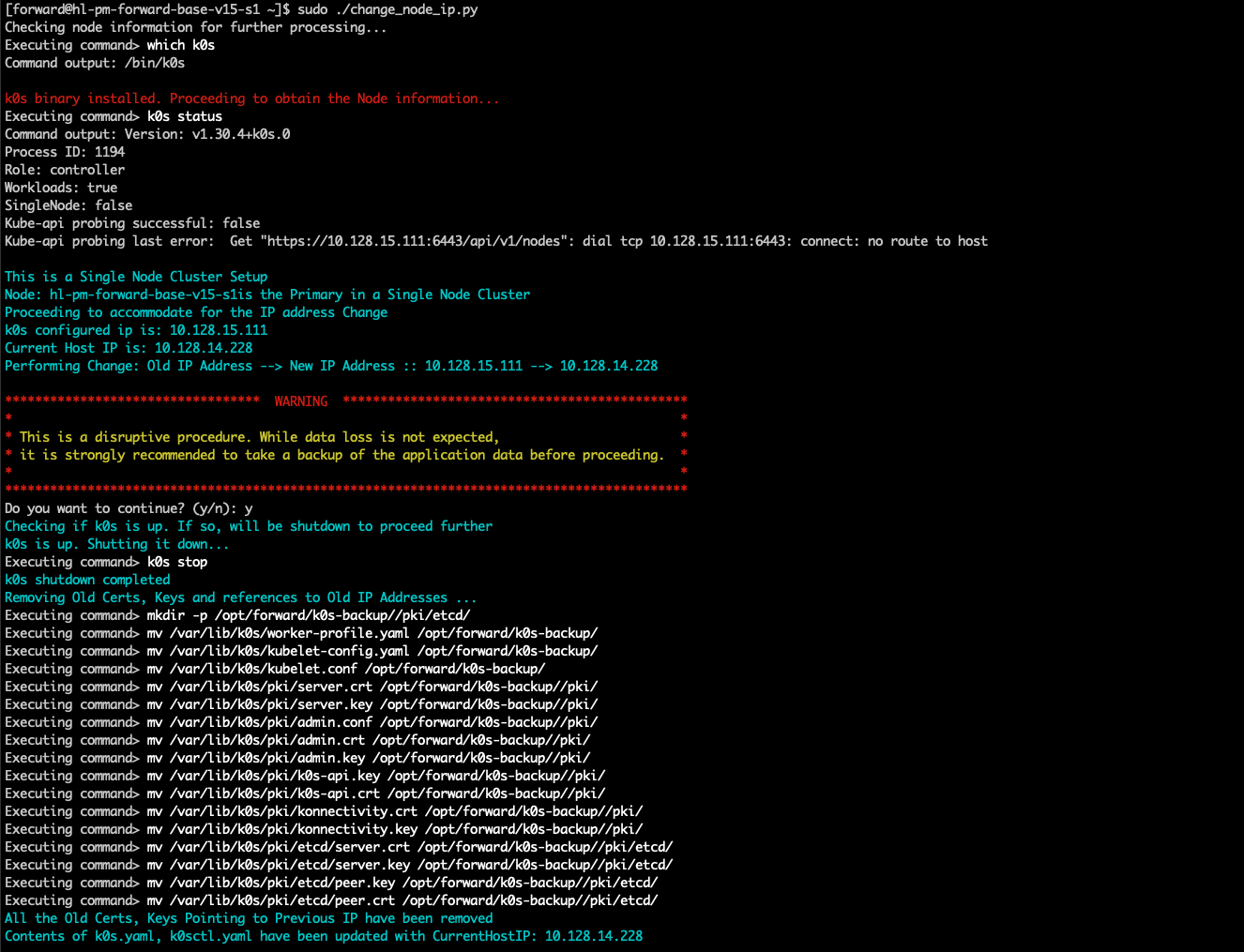
Multi-node deployments
In multi-node deployments, the recommended method to change the IP address of a node is to remove the node from the cluster and rejoin the node after changing the IP address.
Follow these instructions to change the IP of a node:
-
On any existing primary node execute the steps shown below to remove the node from cluster.
fwd-cluster
Forward Cluster> remove <hostname>hostnamerefers to hostname of the node on which we are planning to change the IP. -
Once the node is removed from the cluster, reset it using the below command:
sudo ./reset_node_for_re_install.sh -
Change the IP of the node and reboot using instructions here
-
On an existing primary node that is still part of the cluster execute the below steps to re-add it to the cluster:
fwd-cluster
Forward Cluster> add <node_ip> (primary | worker) <hostname>hostnamerefers to the hostname of the node whose IP address changed.node_iprefers to the current IP address of the node.primary | workeris either primary or worker based on the appropriate node role.