Data Disk Expansion
Update EBS Volume Size in AWS Console:
-
Login to AWS EC2 Console
-
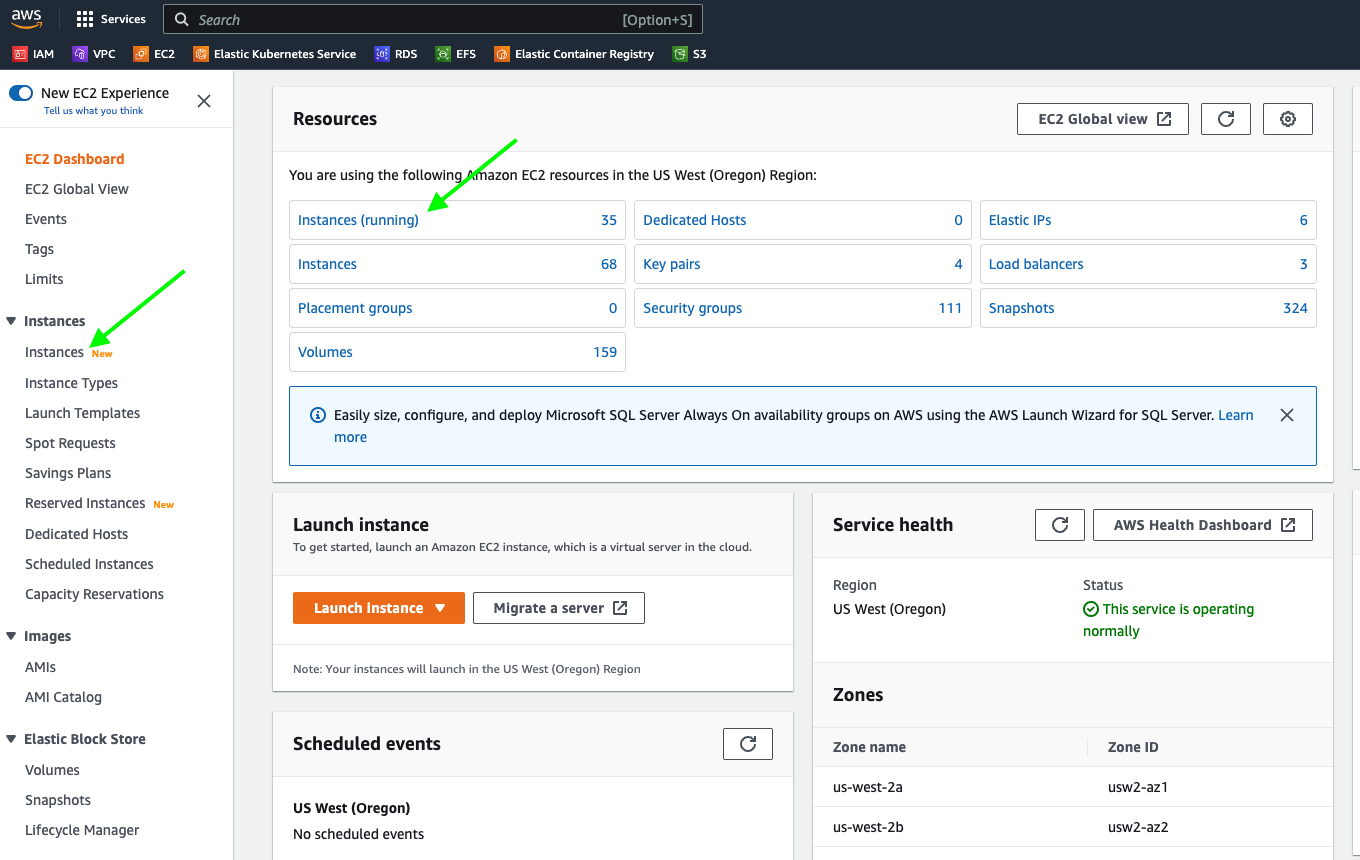
Click on Instances and search for the EC2 instance to increase the disk size.
-
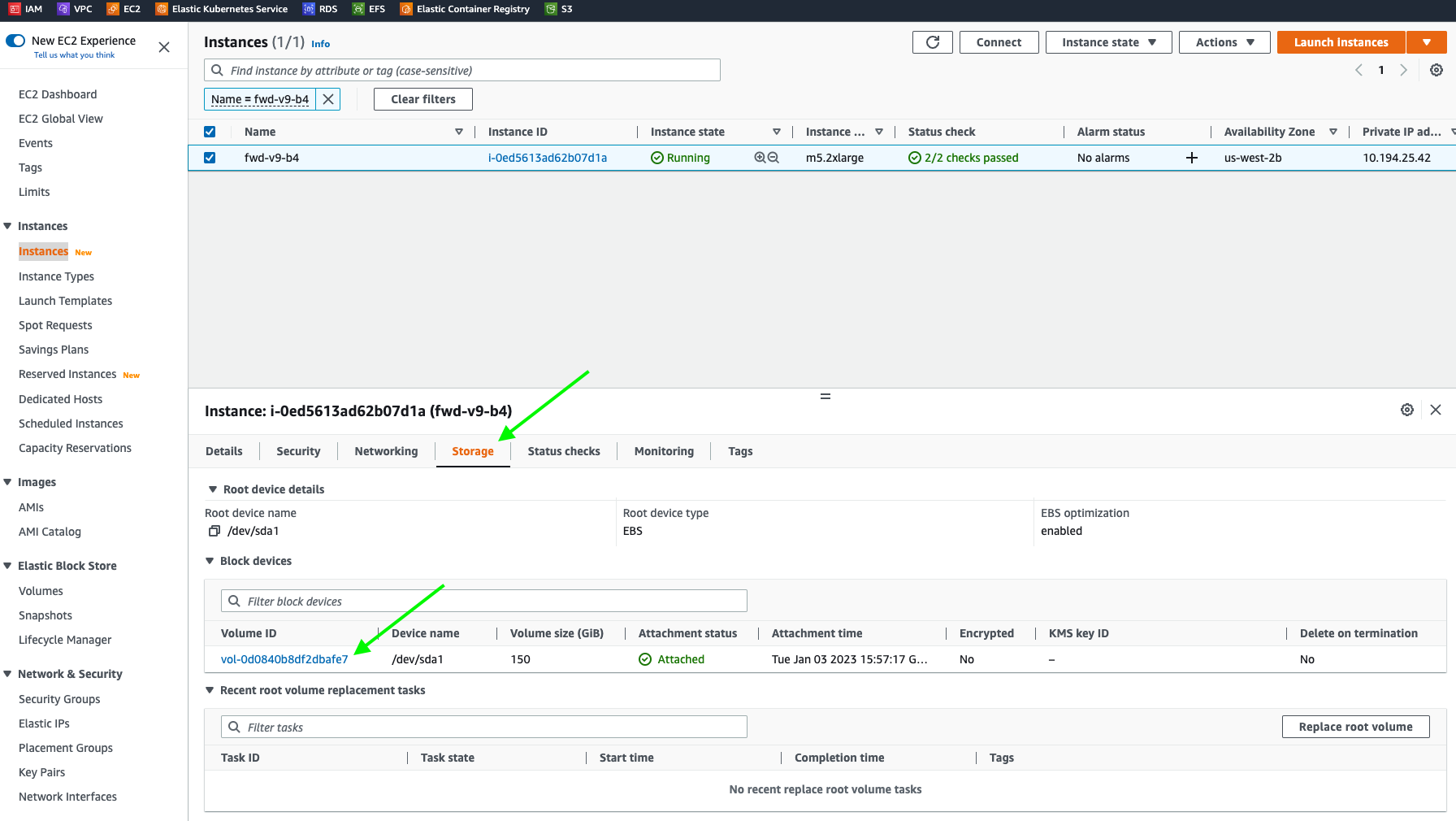
Select Storage and click on the VolumeID which is associated with the EC2 instance
-
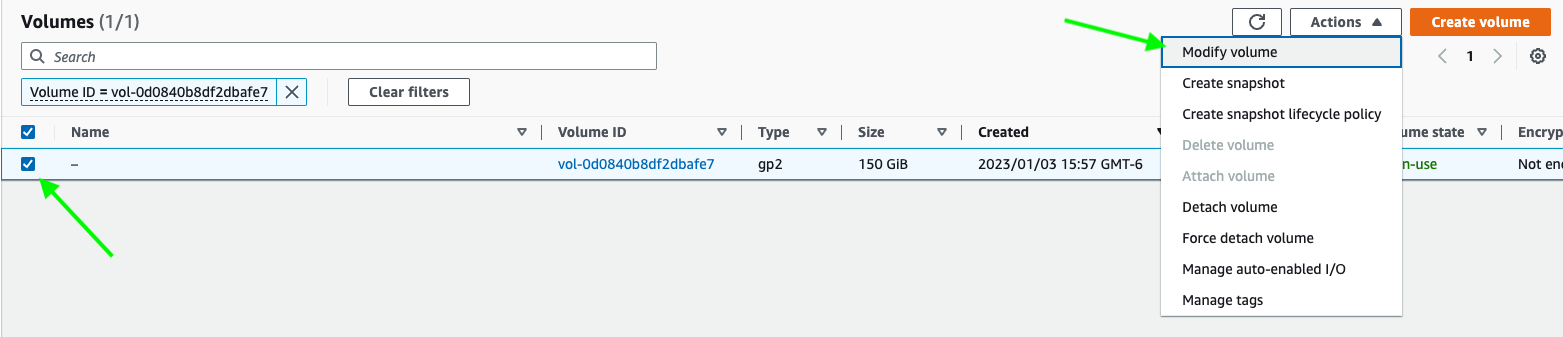
Select the volume and click on Actions dropdown and select Modify Volume
-
Update the volume size and Click Modify and AWS will prompt for user confirmation to update the EBS volume and click Modify
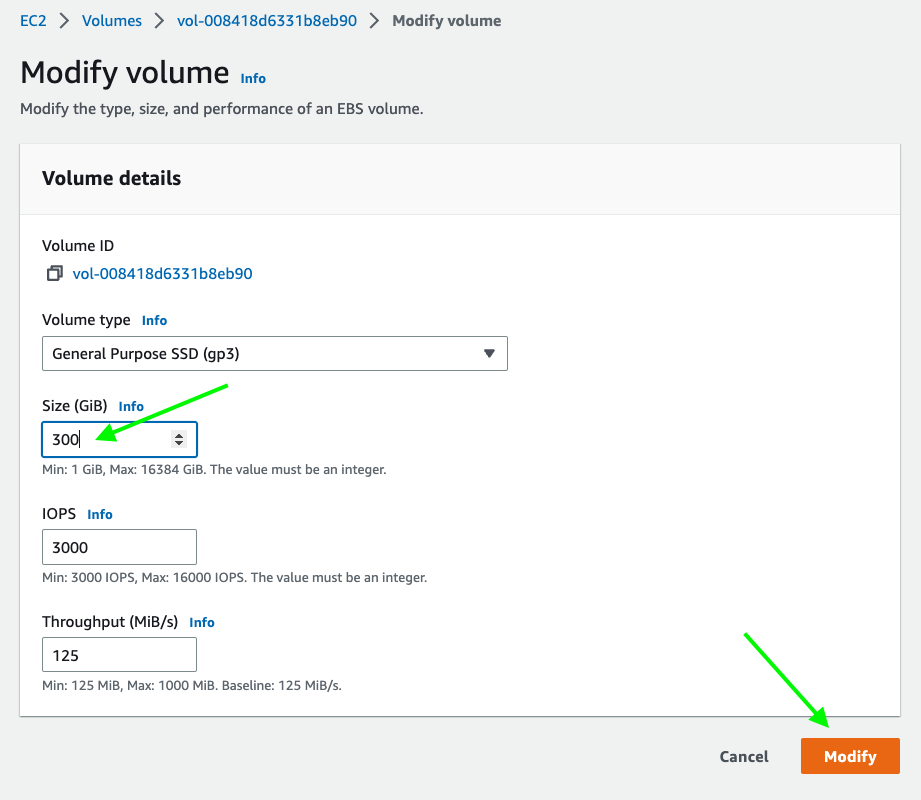
-
Once the EBS volume is modified, reboot the instance from the AWS console (Instance State > Reboot instance) if the new disk size is not reflected after the modification completes.
Expand the disk on a cluster node
To expand the available space on the disk after the underlying VM disk has been increased:
- SSH into the node.
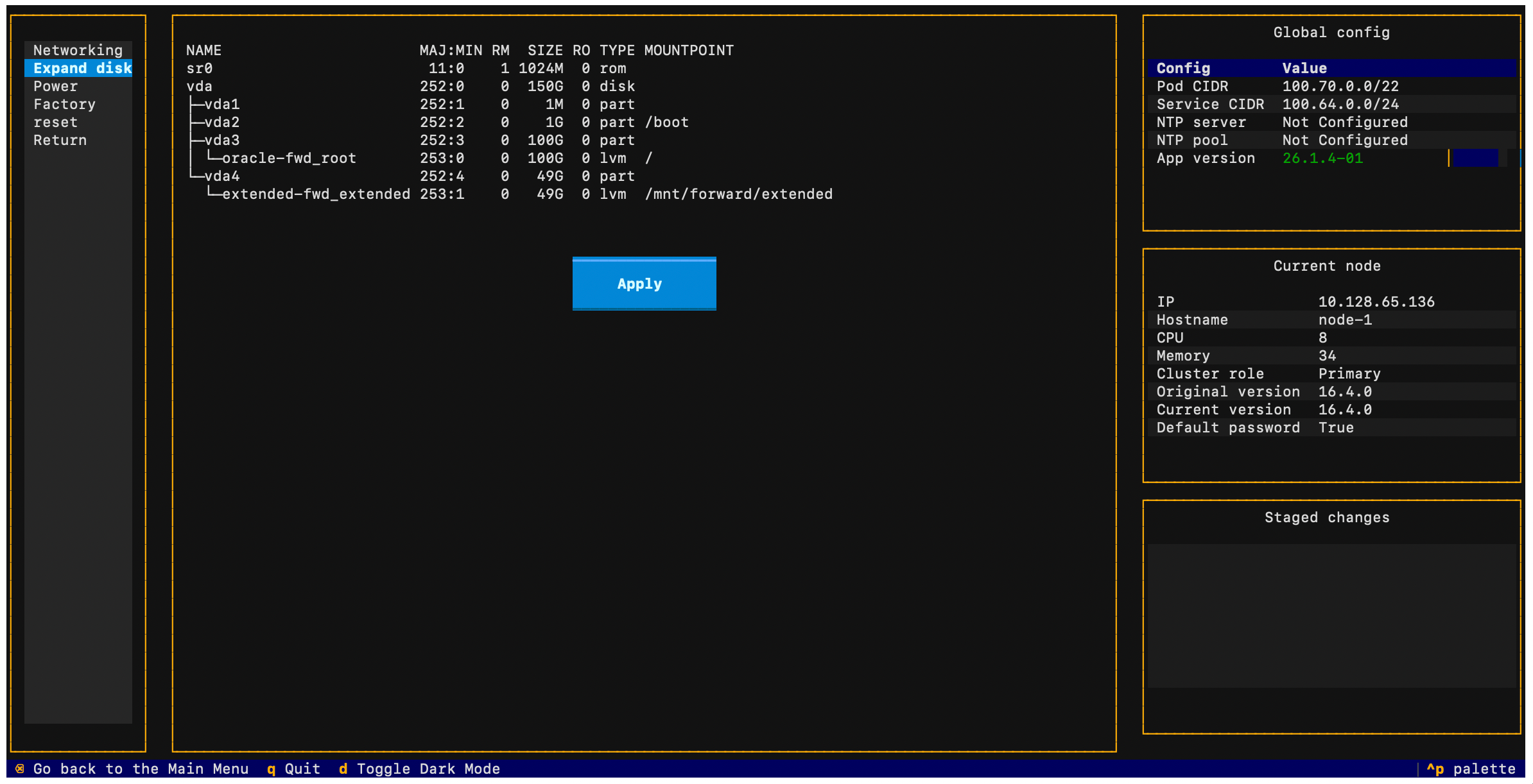
- Select Node > Expand disk from the TUI.
- The TUI will display the current disk layout and allow you to extend the partition to use the newly available space.