Remove/Reset Cluster Node
danger
This is an advanced operation. Please make sure to have a Forward Support Engineer on a call when performing this operation to avoid mistakes that could cause data loss.
info
- Remove node migrates the services running on a specific node to a different node and deletes the node from the cluster. It can only be used in multi-node deployments.
- Reset wipes out all the cluster orchestration and application data on a node and makes the node ready for a fresh install.
Remove a Node in Multi-node Deployments
- SSH into a primary node in the cluster that is not being removed.
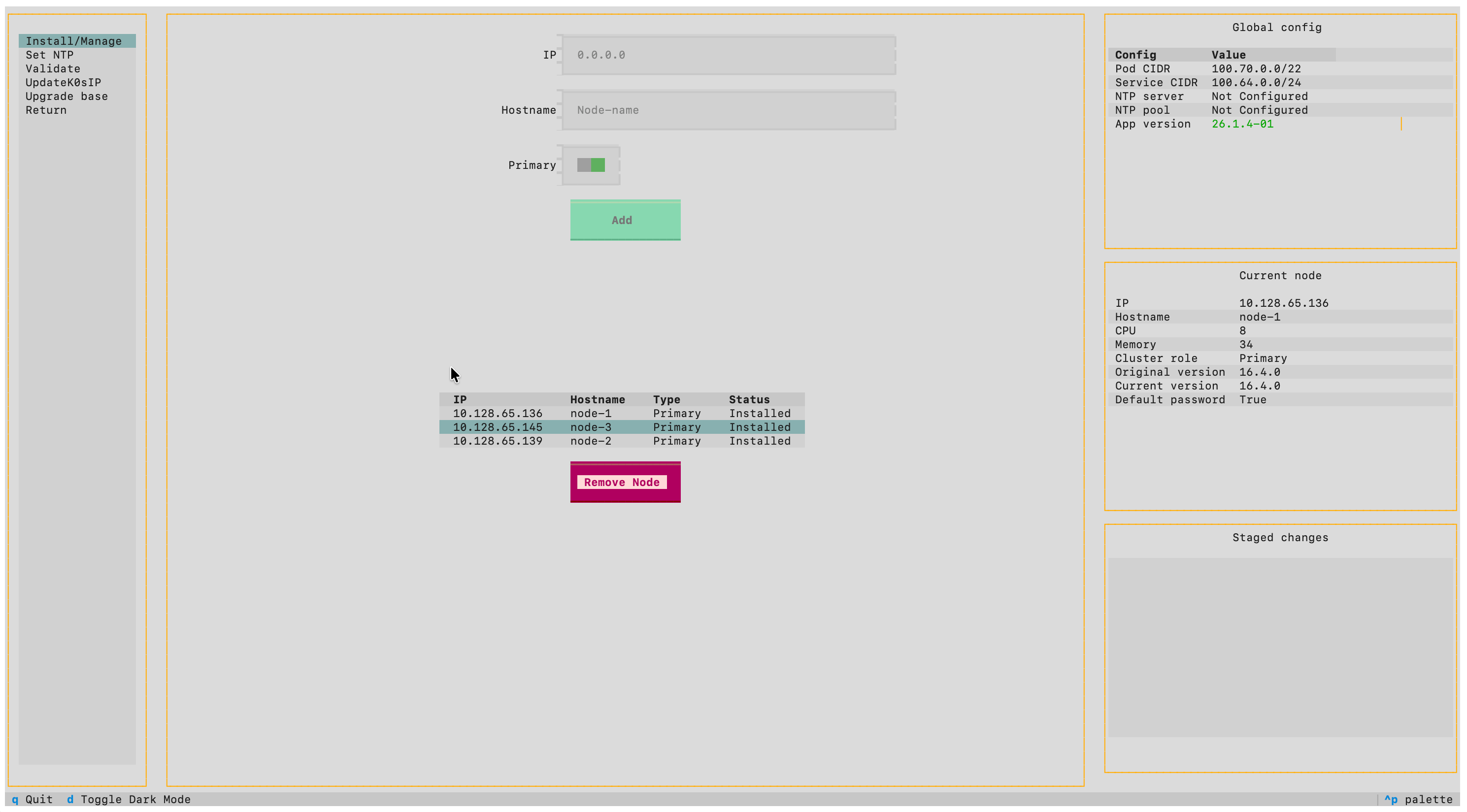
- Select Cluster > Install/Manage from the TUI.
- Select the node to remove. Workloads will be automatically drained from the node being removed.
- Select Apply to update the cluster configuration.
caution
If you are removing a primary node, you must replace it before applying the configuration to maintain an odd number of primary nodes for quorum.
Once removed, you can change the node's configuration (hostname, IP address) and re-add it to the cluster if needed.
Reset a Node
danger
Make sure that the node is removed from the cluster before resetting it.
- SSH into the node to be reset.
- Select Node > Factory reset from the TUI.
- Confirm the reset when prompted.
- After the reset completes, reboot the node via Node > Power > Restart.