Exporting logs via Rsyslog
note
The configuration on this page forwards operating system (Linux) logs from the cluster nodes to a remote syslog server. This includes system-level events (for example, SSH access to the node), but does not include Forward Enterprise application logs or HTTP access activity.
To forward Forward application HTTP access logs (including app login activity) to a syslog server, see
tip
This configuration must be applied on every node in the cluster.
Configure Syslog
- SSH into the node.
- Select Security > Syslog from the TUI.
- Enter the syslog server address, port number (e.g., 514), and protocol (TCP or UDP).
- Review the configuration summary and confirm.
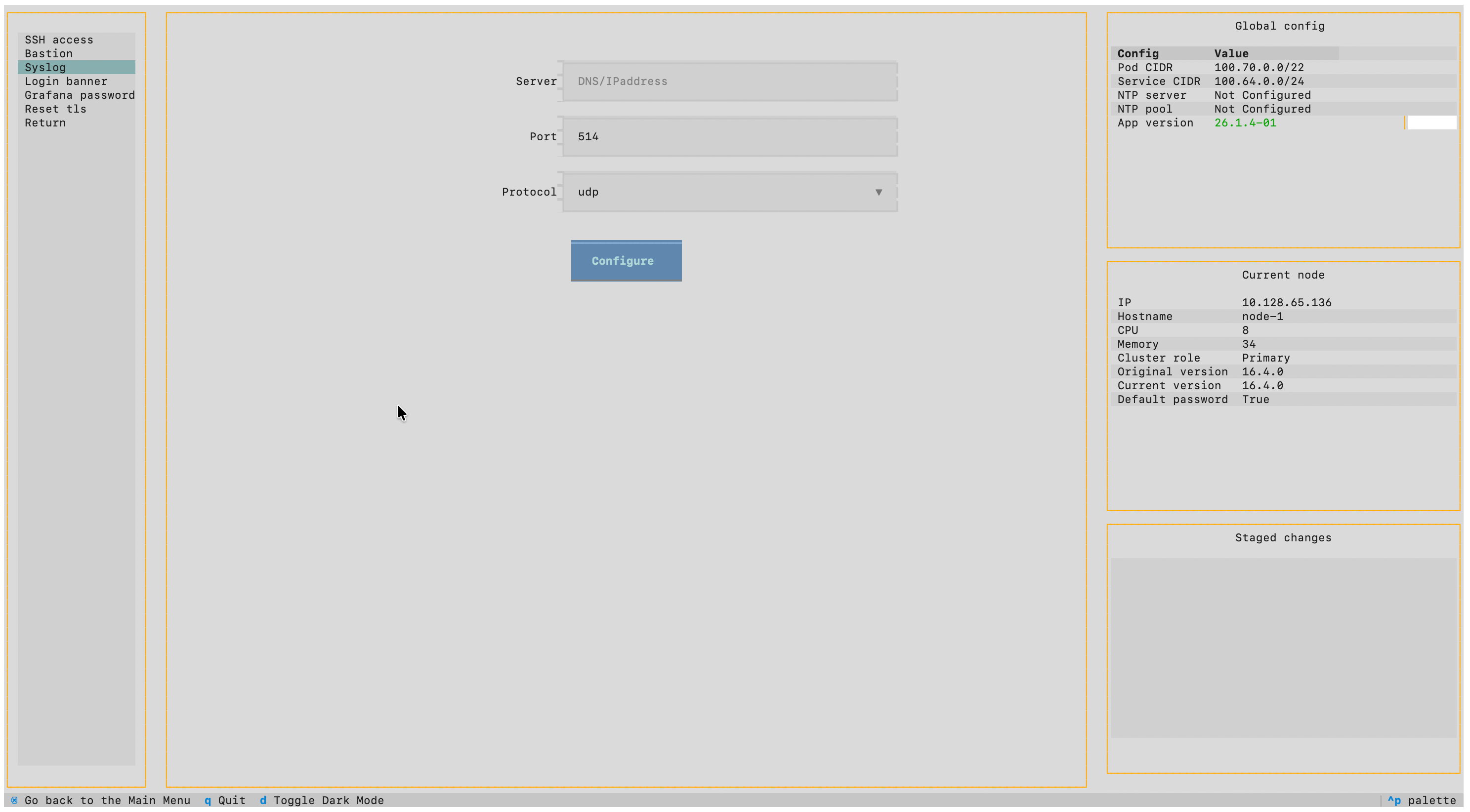
Syslog can also be configured during installation via the TUI at Security > Syslog.