Changing IP Address of a Node
This is a disruptive procedure. While data loss is not expected, it is strongly recommended take a backup of the application data before proceeding.
Single-node deployments
Configure IP address on the host
Base version v16.3.0 and above:
-
Launch the
fwd-clusterutility and follow the steps shown below, to configure the IP address, DNS servers, and search domains:fwd-cluster
Forward Cluster> host set ip static <IP_CIDR> gateway <GATEWAY_IP>
Forward Cluster> host set dns <DNS_SERVERS>
Forward Cluster> host set domain-search <SEARCH_DOMAINS>
Forward Cluster> applyWhere:
<IP_CIDR>: IP address with CIDR notation (e.g., 192.168.1.10/24)<GATEWAY_IP>: Gateway IP address (e.g., 192.168.1.1)<DNS_SERVERS>: Comma-separated list of DNS server IPs (e.g., 1.1.1.1,8.8.8.8,9.9.9.9)<SEARCH_DOMAINS>: Comma-separated list of DNS search domains (e.g., test.example.com,prod.example.com)
Base version v16.0.0 and below:
-
We will use nmtui (Network Manager Text User Interface) to update the IP address of the VM. To configure a network interface IP address, start by invoking the nmtui tool.
sudo nmtui -
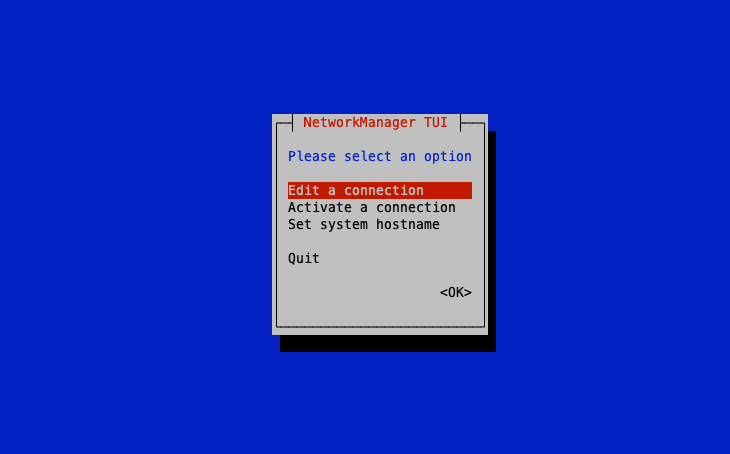
Select the first option ‘Edit a connection’ and hit ENTER.
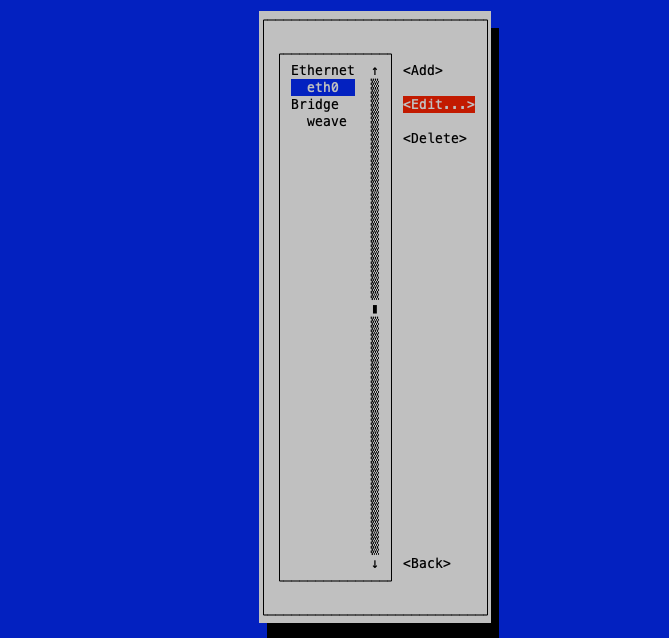
- Next, select the interface you want to configure and hit ENTER.
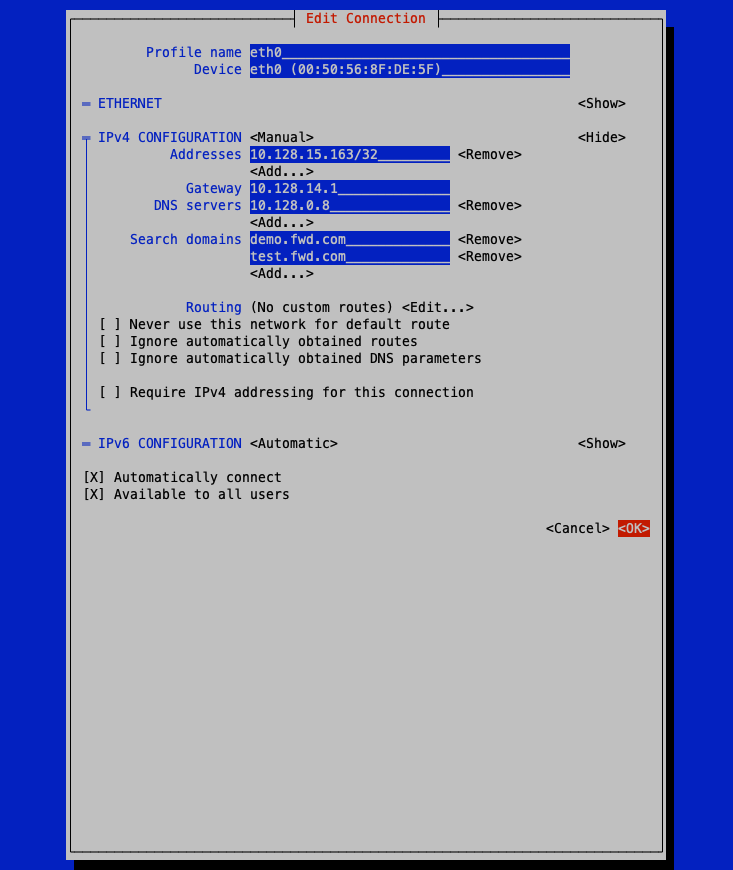
- Key in the preferred IP address, default gateway, and DNS server as shown below and then scroll all the way down and hit ENTER on the 'OK' option.
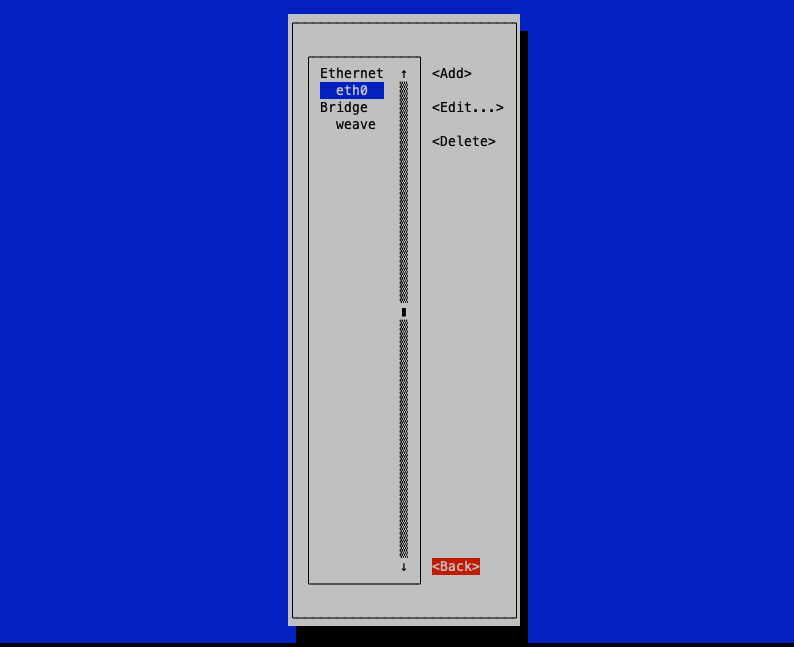
- This takes you back to the interfaces screen as shown below. Navigate and hit on the 'Back' option.
- Press ENTER on the 'Quit' selection to exit the nmtui screen
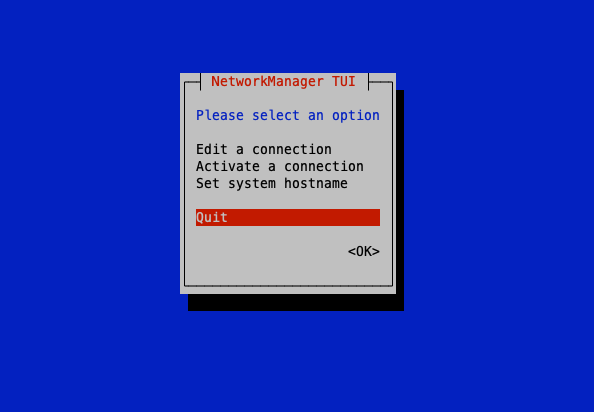
-
Reboot the VM using the below command so that the network configuration is updated.
sudo reboot -
Again, to verify that the network interface has acquired the IP address we have just configured, run the below command.
ip addr show eth0
Update IP address in cluster configurations (only on single-node deployments):
-
Launch the
fwd-clusterutility and execute the below command:Forward Cluster> updatek0sip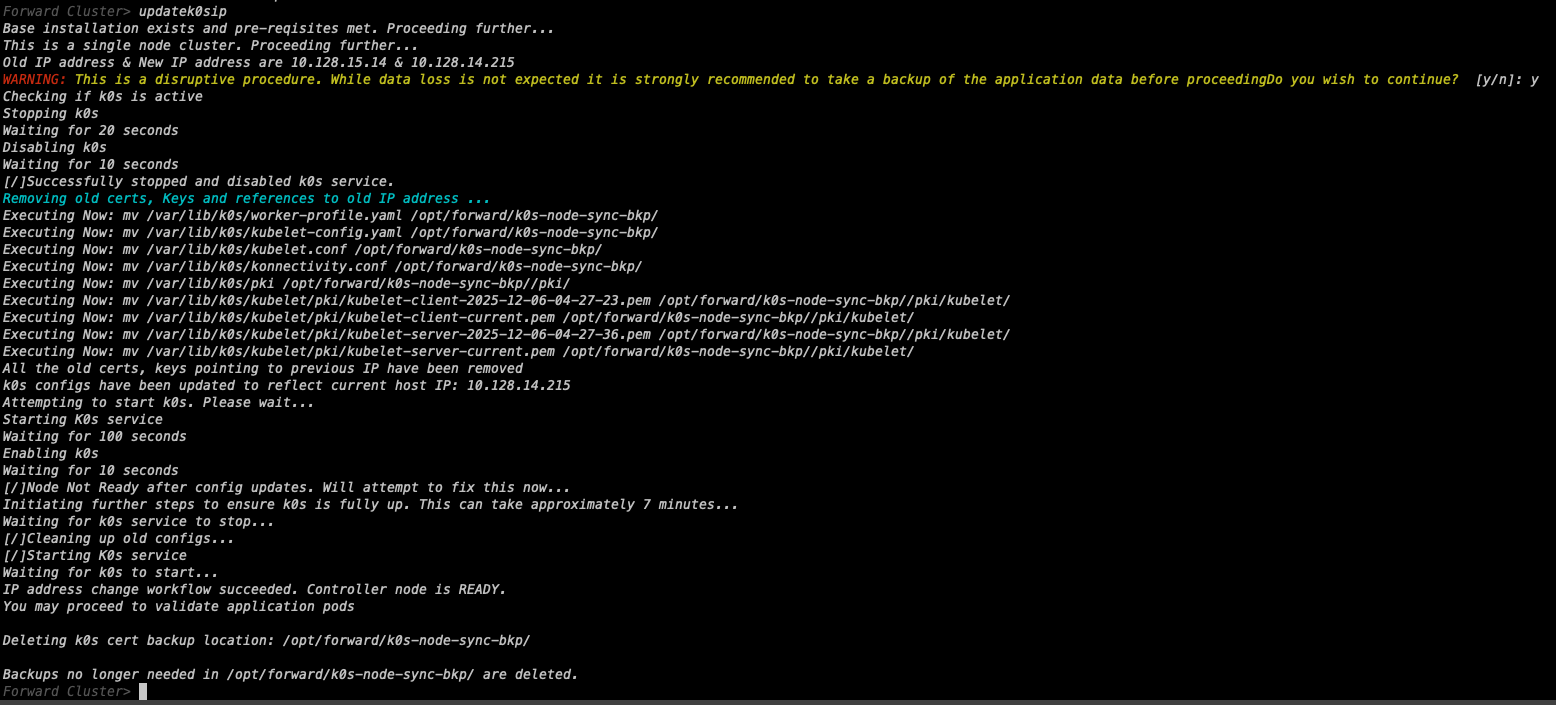
Multi-node deployments
In multi-node deployments, the recommended method to change the IP address of a node is to remove the node from the cluster and rejoin the node after changing the IP address.
Follow these instructions to change the IP of a node:
-
On any existing primary node execute the steps shown below to remove the node from cluster.
fwd-cluster
Forward Cluster> remove <hostname>hostnamerefers to hostname of the node on which we are planning to change the IP. -
Once the node is removed from the cluster, reset it using the below command:
sudo ./reset_node_for_re_install.sh -
Change the IP of the node and reboot using instructions here
-
On an existing primary node that is still part of the cluster execute the below steps to re-add it to the cluster:
fwd-cluster
Forward Cluster> add <node_ip> (primary | worker) <hostname>hostnamerefers to the hostname of the node whose IP address changed.node_iprefers to the current IP address of the node.primary | workeris either primary or worker based on the appropriate node role.